Businesses migrate from WordPress to Webflow to simplify website management, improve performance, and give marketing teams direct control over publishing.
Migrating from WordPress or any other CMS to Webflow is not easy; the complexities can increase based on the complexity of the website, the number of pages, and the current setup. The migration can become a nightmare if they are not planned and executed with the right team and the right setups.
A badly managed migration can wipe out years of SEO in days, with rankings, traffic, and business continuity all at risk at the same time.
In this guide, we cover topics related to this migration, including
- Why B2B companies are moving away from WordPress and choosing Webflow in 2026
- The best WordPress to Webflow migration agencies, compared by process, SEO expertise, and outcomes
- How to protect your SEO rankings and organic traffic through the migration
- What to look for when evaluating and choosing the right migration partner
Why companies move from WordPress to Webflow
WordPress still powers 41.9% of all websites as of July 2026. But its market share has dropped from 43.4% in September 2025 to 41.5% by July 2026. Some of that shift reflects companies outgrowing what the platform was originally built for.
Webflow currently sits at 1.2% of websites with a known CMS, and in B2B SaaS specifically, its adoption is accelerating.
1. Reduce maintenance and improve performance
A 2026 security guide found that plugins cause 52% of all WordPress hacks. With 250+ new plugin vulnerabilities disclosed every week, maintaining a secure WordPress stack requires ongoing developer attention just to stay current.
Webflow removes the plugin layer entirely. There are no updates to run, no conflicts to debug, and no security overhead landing on the marketing team's plate. Webflow sites typically hit 85 to 95 on PageSpeed Insights without additional optimization, compared to WordPress on shared hosting, where average mobile Core Web Vitals pass rates sit around 49.
2. Give marketing teams more control
In WordPress, a simple page edit can still land in a developer's queue. Webflow's editor mode lets marketing teams publish pages, update CMS content, and ship campaign landing pages without waiting on a sprint cycle.
Companies that make this switch see a 67% reduction in developer ticket requests for website changes. A landing page that takes two to three weeks in a developer-dependent environment takes two to three hours in Webflow.
3. Build a website that scales
Webflow's CMS handles programmatic SEO pages at scale: use cases, integrations, industry verticals, and locations, all without custom development. For marketing teams that need to grow organic traffic through structured content, the architecture difference shows up quickly in output velocity and ranking performance.
Comparing WordPress vs Webflow at a glance
WordPress still makes sense for large content publishers with editorial teams, WooCommerce stores with complex product catalogs, and organizations with a full-time WordPress developer on staff. Webflow is the right move for B2B SaaS companies and startups where marketing needs to ship faster than dev can support.
Three best WordPress to Webflow migration agencies
1. Lil Big Things
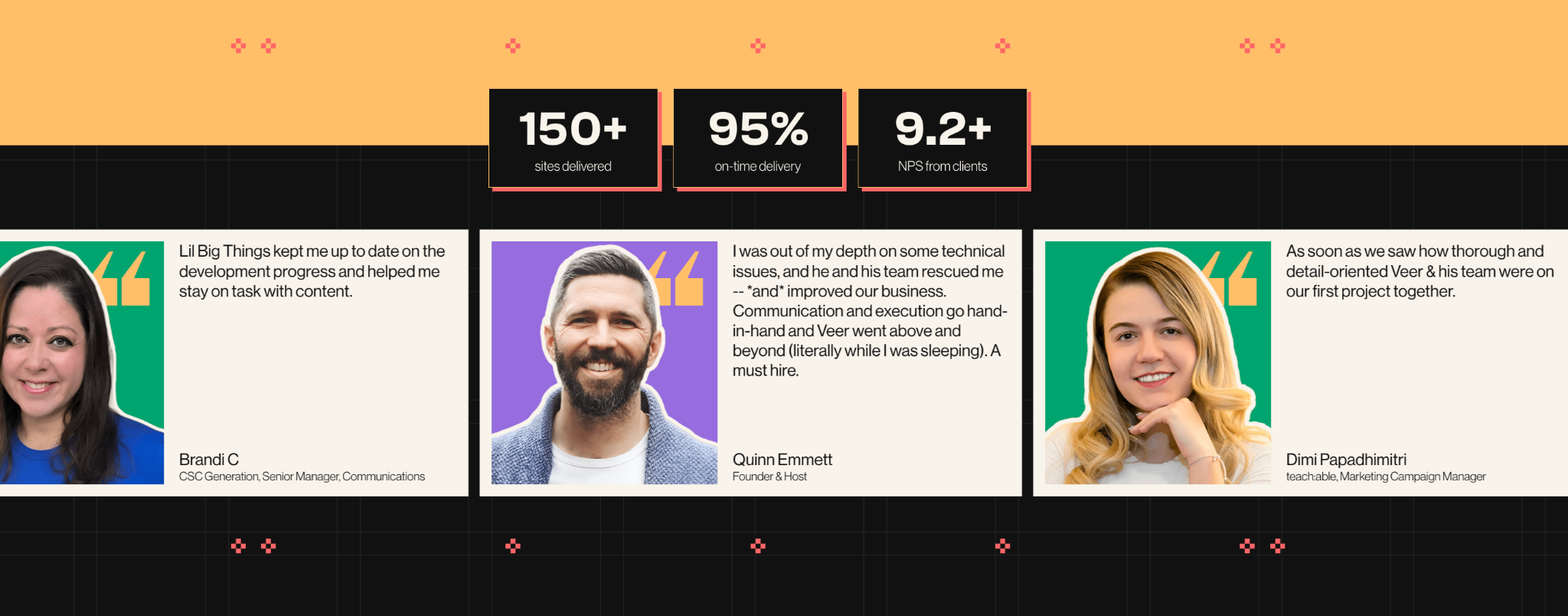
Lil Big Things is an expert Verified Webflow agency for B2B startups and scaleups. We design, build, and maintain Webflow sites so marketing teams can move fast and publish independently. Since 2021, we have delivered 150+ sites with a 95% on-time delivery rate and a 9.2+ NPS from clients across four continents.
Migration expertise:
Full end-to-end WordPress to Webflow migrations, including site audit, CMS restructuring, redirect mapping, metadata transfer, integration wiring, and post-launch SEO monitoring.
Lil Big Things did an explicit WordPress to Webflow migration for Pipecandy, a B2B SaaS company. This helped Pipecandy increase its qualified lead sourcing rate by 172%.
Best suited for:
B2B SaaS, MarTech, AI, Data, FinTech, and HealthTech companies at Seed through Series C with marketing teams of two to fifteen. Companies that have outgrown their current site and do not want to hire an internal web team to keep it running.
SEO capabilities:
Lil Big Things has a dedicated team that owns the SEO side of things. The team checks and ensures that the SEO elements are preserved after the migration and that no orphan, 404, or unwanted redirects are in place. We currently have a dedicated AI search team that oversees the AI visibility for our projects.
Client quote:
"Best team I've worked with in over 15 years experience alongside dev and design teams."
Nicole Hopkins, Co-Founder, COO and Creative Director, Execudent
2. Amply
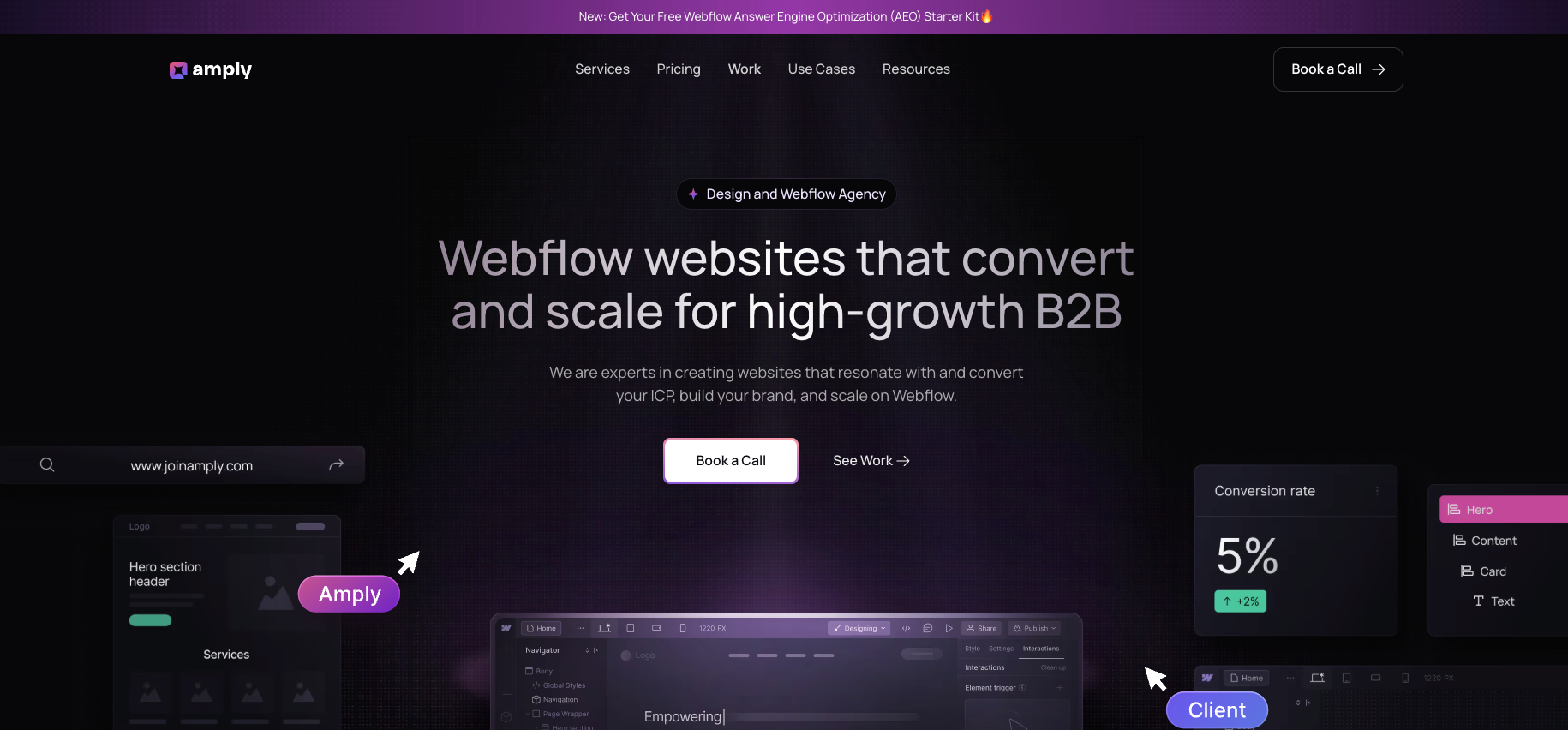
Amply is a Webflow-first agency built for high-growth B2B and SaaS companies. They focus on conversion-focused design and development grounded in the buyer's journey, with WordPress to Webflow migration as a core service.
Based in Salt Lake City with a remote-first team, they have completed 50+ WordPress to Webflow migrations for SaaS, healthcare, and fintech teams.
Migration expertise: Amply handles full WordPress to Webflow migrations with CMS restructuring, 301 redirect mapping, and SEO preservation built into the process. Most projects launch in three to four weeks.
Awardco, an employee recognition platform whose previous site was built on a patchwork of templates that required developer involvement for even small changes. Amply rebuilt it in Webflow with a component-first architecture, giving the marketing team full control to update and expand the site without engineering support.
Best suited for: B2B SaaS and high-growth companies looking for a migration partner that combines clean technical execution with conversion-focused design. Particularly strong for teams coming off WordPress who want a faster, marketing-owned Webflow site without a long enterprise engagement.
SEO capabilities: SEO preservation is part of every migration scope, not an optional add-on. Redirect mapping, metadata transfer, and CMS restructuring are standard across all projects.
3. Veza Digital
Veza Digital is a growth-first Webflow agency that treats migration as an opportunity to fix what is not working: underperforming pages, weak conversion paths, missed SEO potential, rather than simply transferring the existing site.
Migration expertise:
Their Chili Piper migration involved transferring the entire site, plus over 1,000 resources from UberFlip into six separately designed Webflow collections, with Algolia search integrated throughout.
This migration resulted in improved user engagement, streamlined internal workflows, enhanced brand visibility, and overall business growth.
Best suited for:
B2B brands where organic growth is a primary goal alongside the technical migration.
SEO capabilities:
Dedicated Webflow SEO services run alongside migrations. Veza has a growth-first approach, which means they actively audit for SEO improvement opportunities during the migration, not just preservation.
What are the Common WordPress migration challenges? (and how experienced agencies solve them)
1. Large content libraries
WordPress exports content as XML, including blog posts, custom post types, categories, tags, and media files. This content rarely moves cleanly. Shortcodes break, embedded media does not transfer, and rich text formatting degrades during export and import.
Budget 10 to 30 hours per 100 posts for cleanup alone. Without careful CMS schema design before the build starts, teams end up with flat, unstructured data that is difficult to filter and maintain.
Getting reference fields right upfront, like linking blogs to Authors and Categories as separate collections, saves weeks of restructuring later.
2. SEO preservation
Three technical mistakes cause 95% of migration-related ranking losses: broken redirects, content gaps, and indexing problems.
Broken redirects can hurt badly as they might be dropped in the migration, resulting in the loss of backlink equity built for the older redirected pages
Top pages might be removed, merged, or rewritten without preserving the topics, keywords, and intent that previously ranked.
Noindex tags, wrong canonicals, blocking robots.txt, or outdated sitemaps keep key pages out of the index or send mixed signals to Google. The site is live, but invisible..
3. Custom features and integrations
WordPress relies on plugins for forms, search, membership gating, CRM connections, and analytics. None transfers automatically.
HubSpot forms have native Webflow support. Algolia search, membership gating via Memberstack or Wized, and custom API connections each require deliberate planning before the build starts.
4. Launch without downtime
Build on a Webflow staging environment. Do not touch the live DNS until QA is fully signed off. Test every redirect, every form, every Core Web Vitals score across key pages. Avoid DNS cutover on Fridays, avoid the week of a major campaign launch, and keep the WordPress site accessible on a staging URL until organic traffic stabilizes, usually 30 to 60 days after launch.
How a professional WordPress to Webflow migration works
1. Website audit and discovery
A full site crawl using Screaming Frog or Sitebulb exports every URL, meta title, meta description, and status code. GA4 and Ahrefs flag high-traffic pages and high-equity backlink targets that cannot break under any circumstance. Every third-party integration is inventoried.
This audit defines the scope, uncovers redirect complexity the client was not aware of, and prevents surprises mid-build.
2. Migration planning
Every old URL maps to its new Webflow equivalent in a redirect spreadsheet. CMS collection schemas are fully designed before the build starts: blogs, case studies, authors, categories, reference fields, filtering logic, and URL structure all confirmed. Integration paths are planned.
A DNS cutover date is agreed on with a rollback plan in place, so the WordPress site stays accessible if anything goes sideways at launch.
3. Design and CMS migration
The Webflow project is set up with a full design system: typography, color, and spacing as Webflow variables for consistency across every page. Static pages are rebuilt in the Designer. CMS collections are created per the agreed schema.
WordPress content exports via WP All Export as CSV are cleaned in a spreadsheet and imported into Webflow CMS. Images are optimized, alt text is assigned, and internal links are updated to point to the updated URLs if applicable
4. SEO migration
301 redirects are uploaded to Webflow's hosting settings. Meta titles, descriptions, and canonical tags are transferred exactly (not rewritten) for every page as it is built. Structured data (schema markup for blog posts, FAQs, and the organization) is added via custom code embeds. robots.txt is reviewed and validated before launch.
5. QA and testing
Every redirect is tested against its expected destination. Every form is submitted and confirmed to reach the CRM. Mobile responsiveness is checked at 320px, 768px, and 1280px breakpoints. PageSpeed Insights runs on 10 or more key pages before launch, with issues fixed, not deferred.
Cross-browser testing covers Chrome, Firefox, Safari, and Edge. Nothing goes live without a signed-off QA pass from the agency and the client.
6. Launch and post-launch monitoring
DNS cuts over to Webflow. SSL is verified. The new XML sitemap is submitted in Google Search Console and the old sitemap removed on the same day. GA4 conversion events are confirmed live. Google Search Console is checked daily for the first 14 days for crawl errors, coverage drops, and indexing anomalies. Organic traffic is compared against the pre-migration baseline weekly for 90 days.
What happens to your SEO during migration?
Common SEO risks
The risks are usually specific in a CMS migration.
- Broken URLs mean pages get de-indexed, and backlinks pointing to 404 errors lose their equity permanently.
- A misconfigured robots.txt or an unsubmitted sitemap can delay reindexing by weeks.
- Metadata left behind means pages may rank for unintended queries or stop ranking at all.
- Lost schema markup drops rich results from search listings, even if the rankings themselves hold.
How can you protect your organic visibility?
The SEO preservation process should be a thorough checklist. It should cover
- A full pre-migration URL crawl with no exclusions; a redirect map covering every URL including old campaign paths, blog archives, and category pages
- Exact metadata transfer for every page during the build
- Canonical tags set correctly throughout; structured data rebuilt on every relevant page
- The internal link graph rebuilt to point to new URLs
- The XML sitemap generated in Webflow and submitted on launch day
- Robots.txt validated before DNS cutover
- Google Search Console monitored daily for the first two weeks.
Recovery timeline post migration
A well-executed migration (migrations including extensive redirects as well) produces a 5 to 15% traffic dip in the first two weeks. This is normal and expected. Google recrawls and reindexes the new URLs, and rankings temporarily fluctuate during that process. Most sites return to their pre-migration baseline within 30 days. Full recovery typically takes 60 to 90 days.
In 83% of B2B migrations where SEO was managed correctly, sites see improved rankings within 90 days, not just recovery to baseline. A botched migration (missing redirects, dropped metadata, broken indexing) can cause a 30 to 60% traffic loss that takes three to six months to recover from, if it recovers at all.
How much should you invest in a WordPress to Webflow migration?
Page count is the primary driver. CMS complexity, custom functionality, redesign requirements, multilingual needs, and integration count all add scope. Adding a full redesign to the migration roughly doubles both the cost and the timeline.
Premier Verified Webflow partners charge $175 to $250+ per hour, boutique certified agencies run $100 to $150 per hour. Webflow hosting costs are separate from agency fees.
How to choose the right WordPress to Webflow agency
Picking the wrong agency is a more expensive mistake than most teams realize before they make it. Use these criteria when evaluating options, not the agency's pitch deck.
- Proven migration experience. Ask for two or three migration case studies from WordPress specifically. Design portfolio work is not migration work. They are different skill sets. Named clients, specific outcomes, and the source platform are the minimum you should accept.
- SEO expertise. Ask directly: how do you build the redirect map, which tools do you use, and what does post-launch monitoring look like? An agency that cannot answer specifically does not have a real process. Any agency that says "we handle redirects" without describing how is a red flag.
- Webflow specialization. Premier Verified Partners and Certified Partners have demonstrated platform depth. A generalist agency that also does Webflow is different from a Webflow-native agency. Ask for the agency's Webflow profile link. Published project count and certification tier are publicly visible there.
- Technical capability. Ask which integrations they have built in Webflow in the last six months. HubSpot, Salesforce, GA4, Algolia, Memberstack. The tools you rely on should not be experiments on your migration.
- Transparent process. You need to know exactly what happens when, what you are responsible for delivering, and what the agency delivers at each milestone. No black box. Ask for a sample project timeline before signing anything.
- Post-launch support. Migration is not done at launch. Ask: what does post-launch support look like, is it included or billed separately, and how long do you monitor organic traffic after launch? Agencies that disappear after handoff leave you exposed during the most critical 60-day window.
Questions to ask before hiring a migration agency
Bring these to your first call. The answers will tell you more than the agency's deck.
- How do you build your redirect map, and how many URLs do you typically find beyond what the client provides?
- How do you handle URL structures that change during migration, for example, moving from /blog/post-title/ to /resources/post-title/?
- How do you manage WordPress blog posts with custom formatting, shortcodes, and embedded media?
- What is on your QA checklist before launch? How do you test redirects, forms, and Core Web Vitals?
- What is the biggest risk to the timeline, and what do we need to have ready on our end to keep things moving?
- After launch, can our marketing team publish pages and update CMS content without contacting you?
- What does post-launch support look like? Is it included in the project fee or billed separately?
- How will we know the migration succeeded? What metrics do you track in the first 30 days?
Why choose Lil Big Things?
Lil Big Things is built for B2B SaaS startups and scaleups, specifically marketing teams that have outgrown their current site and need to move without hiring an internal web team.
What separates our approach is that we think like marketers. From Webflow design to full builds, every decision is made to ensure that the marketing team uses this independently after launch. This determines how collections are structured, how the Editor interface is set up, and which integrations get built.
Clients like Teachable, Element5, Localyze, and Minoa come back for ongoing work because the systems actually work after handoff.
The ongoing partnership model is Slack-integrated, responsive, and accountable. It keeps us embedded in your workflow for as long as you need it.
Frequently Asked Questions
Most B2B marketing sites take four to eight weeks. Small sites under 15 pages can be done in two to four weeks. Large sites with complex CMS, custom integrations, or a simultaneous redesign run 10 to 16 weeks or more. The biggest timeline variable is not the build. It is how fast the client can review and approve. Feedback cycles that run a week or two per round regularly add a month or more to the total.
Not if the migration is handled correctly. A well-executed migration produces a 5 to 15% traffic dip in the first two weeks as Google reindexes the new URLs. This is normal and temporary. Full recovery typically happens within 30 to 60 days. The risk is a botched migration: missing redirects or dropped metadata can cause a 30 to 60% traffic loss that takes months to recover from, if it fully recovers at all.
Most of it, yes, but not always directly. HubSpot forms, GA4, Segment, and most marketing integrations have native Webflow support. Custom plugins for search, membership gating, or workflow automation typically need to be replaced with Webflow-compatible tools: Algolia, Memberstack, Wized, or custom code. Your agency should audit your full plugin stack before the migration starts, not during it.
Costs range from roughly $3,000 for a small site with no redesign to $200,000+ for large enterprise migrations. For most B2B SaaS companies with 20 to 60 pages and a moderate CMS, expect $8,000 to $25,000 at a specialist Webflow agency. Adding a redesign to the migration typically doubles both the cost and the timeline.
Only if the current design is actively hurting conversion or brand perception. A migration-only project is faster, lower risk, and cheaper. You can redesign later on a stable Webflow foundation. If a rebrand is coming within the next six months, combine them and avoid a second round of disruption. If no rebrand is planned, migrate clean and optimize from there.
Partially. Webflow has its own ecommerce module, but it does not replicate WooCommerce's full feature set. Subscriptions, complex tax logic, high-volume catalogs, and custom checkout flows are the main gaps. If your site is primarily a marketing site with a minor ecommerce component, migration is workable. If ecommerce is the core of the business, evaluate Shopify, or consider keeping WooCommerce while migrating the marketing pages to Webflow separately.
If the URL structure is identical on the new Webflow site, redirects are less critical, but you still need to confirm every URL resolves correctly, metadata transferred intact, and no pages went missing during the build. Any change at all, even removing trailing slashes or changing /blog/ to /resources/, needs a redirect.
Export your current URL list from Google Search Console or a crawl tool. Pull your top-traffic pages and ranking keywords from GA4 and Ahrefs. List every third-party tool currently on the site. Gather brand assets: logo files, fonts, and color codes. And assign one internal owner who can approve content and give feedback within two to three business days. That single decision protects the timeline more than anything else you can do before kickoff.