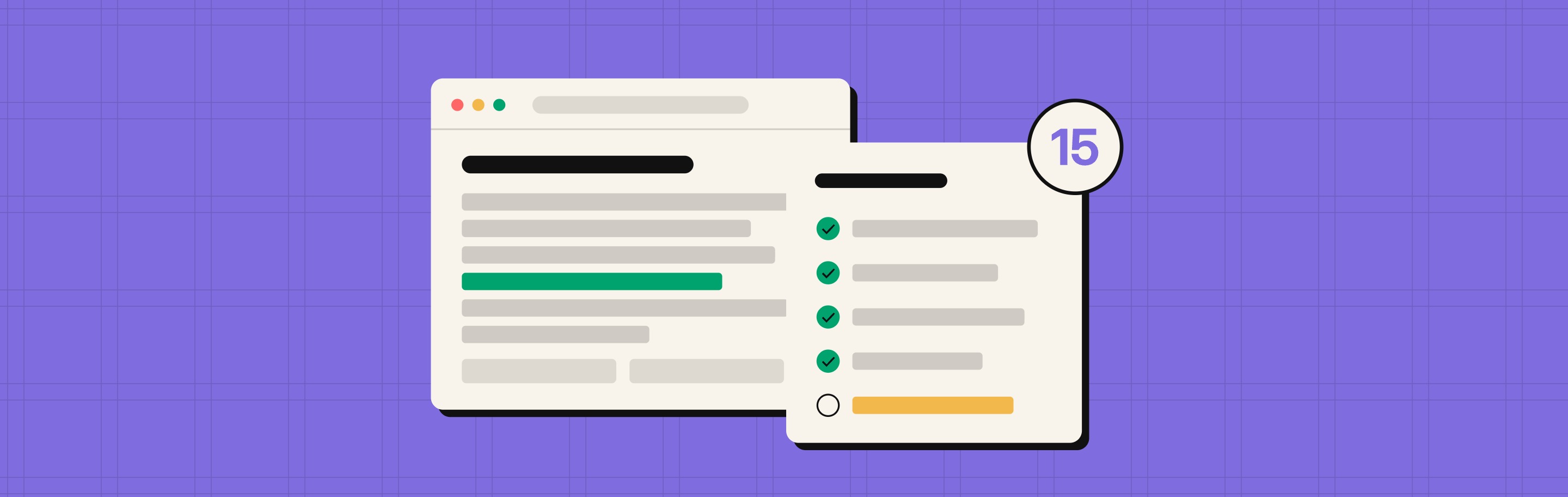
LLMs can only cite what they can reach and read. To get ChatGPT, Claude, Perplexity, Gemini and Copilot to read and cite your website in 2026, let their crawlers in, serve your content as plain HTML, get your pages indexed in Google and Bing, and track the bots once they show up. The 15 checks below cover all four.
Most of these take minutes to test. A few need a developer. We run this list on every B2B site before any AEO content gets written, because a page the bots can't read never gets cited, no matter how good the copy is.
What does an AI visibility checklist cover?
An AI visibility checklist covers five layers: access, readability, indexing, signals and measurement. If any "Fix this week" item fails, fix it before you publish more content. Nothing else on the list matters until the bots can get in and read the page.
| # | Check | Layer | Test with | Priority |
|---|---|---|---|---|
| 1 | Let AI search bots in through robots.txt | Access | yoursite.com/robots.txt | Fix this week |
| 2 | Make sure your CDN or firewall isn't blocking them | Access | CDN dashboard, server logs | Fix this week |
| 3 | Don't rate limit AI crawlers | Access | Server logs | Fix this month |
| 4 | Put your core content in the raw HTML | Readability | View source, curl | Fix this week |
| 5 | Server-render meta tags and schema | Readability | View source | Fix this week |
| 6 | Get key facts out of images, PDFs and gated forms | Readability | Manual page review | Fix this month |
| 7 | Get key pages indexed in Google | Indexing | Google Search Console | Fix this week |
| 8 | Get key pages indexed in Bing | Indexing | Bing Webmaster Tools | Fix this week |
| 9 | Check your snippet controls | Indexing | View source, response headers | Fix this month |
| 10 | Keep your XML sitemap clean and current | Indexing | sitemap.xml, site crawler | Fix this month |
| 11 | Push new pages with IndexNow | Indexing | CMS plugin, Bing Webmaster Tools | Nice to have |
| 12 | Fix 404s and redirect chains | Hygiene | Site crawler | Fix this month |
| 13 | Add structured data that matches the page | Signals | Rich Results Test, Schema validator | Fix this month |
| 14 | Publish llms.txt and a markdown version | Signals | yoursite.com/llms.txt | Nice to have |
| 15 | Track AI bots and AI referral traffic | Measurement | Server logs, GA4, Bing Webmaster Tools | Fix this month |
Which AI crawlers visit your website?
AI companies send three types of bots to your site: training crawlers, search crawlers and user-triggered fetchers. Each one needs its own decision in robots.txt, and blocking the wrong one can take you out of AI answers.
- Training crawlers collect content for future models. Blocking them keeps you out of training data, not out of today's answers.
- Search crawlers build the index an assistant pulls answers from. Blocking them removes you from those answers.
- User-triggered fetchers visit live when someone asks an assistant about your page. Some of them skip robots.txt because a person started the request.
Google works differently. AI Overviews and AI Mode use the regular Google index, so there is no separate AI crawler to allow (Google Search Central). Microsoft Copilot grounds its answers on the Bing index.
| Company | Training bot | Search bot | User-triggered bot | Worth knowing |
|---|---|---|---|---|
| OpenAI | GPTBot | OAI-SearchBot | ChatGPT-User | Block OAI-SearchBot and you won't appear in ChatGPT search answers (OpenAI) |
| Anthropic | ClaudeBot | Claude-SearchBot | Claude-User | All three follow robots.txt, set per subdomain (Anthropic) |
| Perplexity | None (says it doesn't train) | PerplexityBot | Perplexity-User | Perplexity-User generally ignores robots.txt |
| Google-Extended (a control token) | Googlebot | None | Google-Extended does not affect AI Overviews or AI Mode | |
| Apple | Applebot-Extended (a control token) | Applebot | None | Applebot renders JavaScript |
| Meta | meta-externalagent | None | meta-externalfetcher | No search bot |
Source for the full list: Anagram's AI crawler user-agent list, checked against each company's own documentation where linked.
Can AI crawlers get into your site?
Checks 1 to 3 decide whether AI bots reach your pages at all. Run these first. If a bot can't get in, nothing further down the list does anything.
1. Let AI search bots in through robots.txt
Your robots.txt should allow OAI-SearchBot, Claude-SearchBot, PerplexityBot, Googlebot and Bingbot on every page you want cited. Open yoursite.com/robots.txt and search for each name. Then look for a "Disallow: /" line under "User-agent: *", which blocks every bot that isn't named elsewhere.
A minimal setup that allows AI search and states your training choice looks like this:
User-agent: OAI-SearchBot
Allow: /

User-agent: Claude-SearchBot
Allow: /

User-agent: PerplexityBot
Allow: /

User-agent: GPTBot
Allow: /

Sitemap: https://yoursite.com/sitemap.xml
OpenAI treats each bot on its own, so you can allow OAI-SearchBot and block GPTBot. Changes take about 24 hours to reach ChatGPT search (OpenAI). For most B2B companies, allowing training bots too is the better call. You want the next model to know your category and your brand name.
2. Make sure your CDN or firewall isn't blocking them
A CDN or firewall rule can block AI bots even when robots.txt allows them. It's easy to miss, because the bot settings usually sit with engineering or IT, not marketing.
On Cloudflare's network, deliberate AI crawler blocks grew from about 3.6% to 8.6% of AI bot requests (TripleDart, citing Cloudflare Radar). Cloudflare also changed its defaults on September 15, 2026: agent and training crawlers are now blocked by default on ad-supported pages for new and free-tier sites, while search crawlers stay allowed (chudi.dev).
To check, open Security > Bots in Cloudflare (or the bot settings in your WAF) and review the AI crawler rules. Then filter your server or CDN logs by AI user agent. You want 200 responses, not 403s or challenge pages.
3. Don't rate limit AI crawlers
Rate limits built for scrapers often catch AI crawlers too. A bot that gets a 429 or a timeout leaves without the page.
Group your logs by user agent and status code and look for 429s and 5xx errors on AI bots. If crawl load is a real concern, slow the bots down instead of blocking them. Anthropic supports the Crawl-delay directive in robots.txt for its bots (Anthropic).
Can AI crawlers read your pages once they're in?
Getting in is half the job. Checks 4 to 6 make sure the bots find actual content when they arrive, not an empty shell.
4. Put your core content in the raw HTML
Your headline, body copy, pricing and FAQs need to be in the HTML your server sends, before any JavaScript runs. Most AI crawlers don't execute JavaScript.
Vercel's crawl data found that OpenAI's crawlers, ClaudeBot and PerplexityBot don't render JavaScript at all. ChatGPT and Claude download JS files (11.5% and 23.8% of their fetches) but never run them. Googlebot, which powers Gemini, and Applebot are the exceptions (Vercel).
To test, open a page, right-click, choose View Page Source (not Inspect), and search for a sentence you can see on screen. If it isn't in the source, AI crawlers can't see it either. The fix is server-side rendering or pre-rendering for the pages that matter. Webflow and most static site builders already ship full HTML. Single-page apps built on a client-side framework are the ones to check first.
5. Server-render meta tags and schema
Your title tag, meta description, canonical tag and JSON-LD should all be in the page source. Anything added by Google Tag Manager or a script after load is invisible to crawlers that don't run JavaScript (TripleDart).
View source and search for "application/ld+json" and "canonical". If schema only appears in Inspect, move it into the page template.
6. Get key facts out of images, PDFs and gated forms
Information that only lives in an image, a downloadable PDF, a gated asset or a tab that loads on click is hard for an LLM to quote. Google's own guidance for AI features is to make sure important content is available as text (Google Search Central).
Go through your top 20 revenue pages. Pricing in a screenshot, specs in a PDF and comparison data behind a form are the usual suspects. Put a text version on the page, even a short one.
Are your pages in the indexes AI answers pull from?
Several AI answer engines don't crawl from scratch. They pull from a search index. Checks 7 to 11 make sure your pages are in Google's and Bing's indexes, eligible to be quoted, and refreshed when you update them.
7. Get key pages indexed in Google
To appear in AI Overviews or AI Mode, a page has to be indexed in Google and eligible to show with a snippet. Google says there are no extra technical requirements and no special optimizations beyond that (Google Search Central).
Run URL Inspection in Google Search Console on your homepage, pricing page, main product pages and top blog posts. Each should show as indexed. Traffic from AI features is reported inside the normal Performance report, under the Web search type.
8. Get key pages indexed in Bing
Microsoft Copilot grounds its answers on the Bing index, so a page Bing hasn't indexed can't be cited there. Bing setup tends to get skipped because Google gets all the attention.
Verify the site, submit your sitemap and run URL Inspection on the same key pages you checked in Google. Bing Webmaster Tools also unlocks the AI Performance report covered in check 15.
9. Check your snippet controls
noindex, nosnippet, data-nosnippet and max-snippet all limit what Google can show from a page, and that includes AI Overviews and AI Mode (Google Search Central). A tight max-snippet left over from an old SEO project can quietly keep a page out of AI answers.
Check the meta robots tag in the page source and the X-Robots-Tag in the response headers. Remove any restriction on pages you want cited.
10. Keep your XML sitemap clean and current
Your sitemap should list only live, canonical URLs that return a 200, with lastmod dates that change when the content does. Reference it in robots.txt so every crawler can find it.
Open sitemap.xml and run it through a crawler such as Screaming Frog. Remove redirects, 404s and noindexed pages. A sitemap full of dead URLs sends AI crawlers to dead ends, which check 12 covers in more detail.
11. Push new pages with IndexNow
IndexNow lets you tell search engines a URL is new or updated instead of waiting for the next crawl. Bing, Yandex, Naver, Seznam and Yep support it. Google does not (Searchbloom).
Because it reaches the Bing index, it helps fresh pages show up in Copilot sooner. Treat it as plumbing for freshness, not a way to earn citations. Most CMS platforms and CDNs offer it as a plugin or a toggle.
What else helps LLMs understand and cite your site?
Checks 12 to 15 are about clean signals and knowing what's working. They matter once access, readability and indexing are in place.
12. Fix 404s and redirect chains
AI crawlers waste a lot of their visits on broken URLs. In Vercel's data, about 35% of fetches by ChatGPT's and Claude's crawlers hit 404 pages, compared with about 8% for Googlebot. ChatGPT also spent about 14% of fetches on redirects, against 1.5% for Googlebot (Vercel).
Every wasted fetch is a page the bot didn't read. Crawl your site, fix broken internal links, point links straight at the final URL, and 301 old URLs that still get links from other sites.
13. Add structured data that matches the page
Structured data helps search engines understand who you are and what a page is about, and Google and Bing feed their AI answers. Google's one rule for AI features is that structured data must match the visible text on the page. No special schema is required (Google Search Central).
For a B2B site, start with Organization on the homepage, Article with a named author and dates on blog posts, SoftwareApplication or Product on product pages, and BreadcrumbList sitewide. Only add FAQPage markup where the questions are visible on the page. Validate with Google's Rich Results Test.
14. Publish llms.txt and a markdown version
llms.txt is a short markdown file at your root that points LLMs to your most important pages. It costs an hour to set up, so publish one. Just don't expect it to fix anything on the list above.
The evidence is mixed. Google says you don't need AI text files or special markup for its AI features (Google Search Central). An Adobe log analysis of 1,000 domains found 94.9% of llms.txt requests came from Googlebot, cited by Evil Martians. A vendor report claims Anthropic and Perplexity use the file, but shares no sample size (Presenc AI).
Markdown versions of key pages are the stronger idea. They strip out navigation and scripts and cut a page to a fraction of its tokens. Cloudflare's Markdown for Agents serves a markdown version automatically when an AI system asks for one (Cloudflare). Avoid serving different content based on user agent, which can look like cloaking.
15. Track AI bots and AI referral traffic
Once the fixes are live, check that the bots and the visits actually show up. Three places to look:
- Server or CDN logs, filtered by AI user agents, show which bots visit, which pages they fetch and what status codes they get.
- GA4 can group referrals from chatgpt.com, perplexity.ai, claude.ai, gemini.google.com and copilot.microsoft.com into their own channel.
- Bing Webmaster Tools' AI Performance report, in public preview since February 2026, shows Copilot citations, cited pages and the grounding queries behind them (Search Influence). There's no API yet, so export it as CSV.
Clicks only tell part of the story. For what to measure when AI answers mention you without a visit, read why AI mentions don't show up in your analytics.
How do you run this checklist in one afternoon?
You can run all 15 checks in about three hours with free tools. Go in this order, since each step assumes the one before it passed.
- Access, 30 minutes. Read your robots.txt (check 1). Open your CDN or firewall bot settings (check 2). Filter your logs by AI user agent and look at status codes (check 3).
- Readability, 45 minutes. Pick your homepage, pricing page and two best-converting pages. View source on each and search for a sentence you can see on screen, plus your schema and canonical tags (checks 4 and 5). Note any key facts stuck in images or PDFs (check 6).
- Indexing, 45 minutes. Run URL Inspection on the same pages in Google Search Console and Bing Webmaster Tools (checks 7 and 8). Check meta robots and response headers (check 9). Open your sitemap (check 10) and see whether IndexNow is on (check 11).
- Hygiene and signals, 30 minutes. Start a site crawl for 404s and redirect chains (check 12). Validate schema on your key pages (check 13). Open yoursite.com/llms.txt (check 14).
- Measurement, 30 minutes. Turn on Bing's AI Performance report, add an AI referral channel in GA4 and save a log filter for AI bots (check 15). Next month's review then takes ten minutes.
For a quick readability test from a terminal, fetch a page as an AI bot and search for a sentence from it:
curl -s -A "OAI-SearchBot" https://yoursite.com/pricing | grep -i "a sentence from your page"No output means the sentence isn't in the HTML. Keep in mind this tests your HTML, not your firewall. CDNs verify real AI bots by IP address, so a faked user agent can pass here while the real bot gets blocked. Check 2 is still needed.
Frequently asked questions
Why does my site show up in Google but not in ChatGPT?
Googlebot renders JavaScript, but OpenAI's crawlers don't. If your content loads client-side, Google sees the page and ChatGPT sees an empty shell. The other common causes are a robots.txt rule that blocks OAI-SearchBot and a CDN setting that blocks AI bots. Checks 1, 2 and 4 cover all three.
Should I block GPTBot and other training crawlers?
Blocking GPTBot keeps your content out of OpenAI's model training, but it doesn't remove you from ChatGPT search answers. That depends on OAI-SearchBot. For most B2B companies, allowing training bots is the better trade, because future models will know your brand and category. Publishers protecting paid content may decide differently.
Does blocking Google-Extended remove my site from AI Overviews?
No. Google-Extended only controls whether your content is used for Gemini training and some grounding outside Google Search. AI Overviews and AI Mode are governed by Googlebot access and snippet controls such as nosnippet and max-snippet, according to Google Search Central.
Do I need llms.txt to get cited by AI?
No. Google says AI features need no special files, and there's no public confirmation that OpenAI uses llms.txt. It takes an hour to publish, so it's worth adding, but access, raw HTML content and indexing matter far more for citations.
How long do these fixes take to show up in AI answers?
It depends on the platform. OpenAI says robots.txt changes reach ChatGPT search in about 24 hours. Google says recrawling can take anywhere from days to months, though you can request a recrawl in Search Console. IndexNow speeds up Bing, which feeds Copilot.
Where to start
Start with checks 1, 2 and 4. They take under an hour and catch the problems that make every other AEO effort pointless. Once the bots can get in and read your pages, content and citations have something to work with.
If you'd rather have someone run the list for you, get a free GEO report or book a strategy call. To see what a full review covers, read what a GEO audit actually includes. To pick a tool that tracks your AI citations once the basics are fixed, read our comparison of the best AI visibility tools in 2026.
Sources: Google Search Central, AI features and your website, OpenAI, Overview of OpenAI crawlers, Anthropic, Does Anthropic crawl the web?, Vercel, The rise of the AI crawler (December 2024), Anagram, AI crawler user-agent list 2026, TripleDart, Why your site is invisible to ChatGPT and Claude, chudi.dev on Cloudflare's September 15 change, Cloudflare, Markdown for Agents, Evil Martians, Making your site visible to LLMs, Search Influence, Bing's AI Performance report, Searchbloom, IndexNow, Presenc AI, State of llms.txt 2026. Figures reflect research published through October 2026 and are directional.