Businesses migrate from Squarespace to Webflow to escape rigid design templates, scale complex content databases, accelerate page load speeds, and build high-end animations without custom code.
Migrating from Squarespace to Webflow can be tricky if you go in without a proper plan or strategy. A poorly run migration can cost months of organic traffic. Broken redirects, dropped metadata, and indexing errors all compound at once, and your SEO, traffic, and business continuity are all at stake before a single page goes live.
In this guide, we cover topics related to this migration, including:
- Why businesses are moving from Squarespace to Webflow in 2026
- The best Squarespace-to-Webflow migration agencies, compared on process, SEO capability, and fit
- How to protect your search rankings through the migration
- What to look for when evaluating a migration partner
Use it as a decision-making tool. By the end, you will know which agency fits your situation and exactly what to ask before you hire them.
Why companies move from Squarespace to Webflow
Companies outgrow Squarespace when rigid templates, bogged-down page speeds, and locked database structures begin to choke marketing velocity
1. Reduce maintenance and improve performance
Squarespace is a managed platform, so there is no plugin stack to maintain. The performance problem is different. The average Squarespace site records an LCP (Largest Contentful Paint) of 8.79 seconds, more than three times over Google's recommended threshold of 2.5 seconds.
Webflow generates clean, semantic HTML by default and consistently scores 85 to 95 on PageSpeed Insights without additional optimization, which translates directly into improved Core Web Vitals scores and search performance.
2. Give marketing teams more control
Squarespace's CMS is built around fixed content types: blog posts, events, products, and galleries, with no multi-reference fields and no custom collections.
Webflow's Editor mode lets marketing teams publish pages, update CMS content, and launch campaign landing pages without a developer ticket. Companies that make the switch stop waiting on sprint cycles for site changes and start shipping in hours.
3. Build a website that scales
For B2B SaaS companies that need use-case pages, integration directories, and industry verticals managed through a CMS, Squarespace's fixed architecture runs out of road fast.
Webflow supports fully custom collection structures, relational fields, and programmatic page generation without custom development.
Comparing Squarespace vs Webflow at a glance
Squarespace works well for small businesses and solopreneurs who want a fast, template-guided setup with no technical overhead. Webflow is the right move for B2B SaaS and tech companies where marketing needs to publish independently, where SEO requires technical control, and where the site needs to grow without rebuilding the architecture.
3 best Squarespace to Webflow migration agencies
1. Lil Big Things
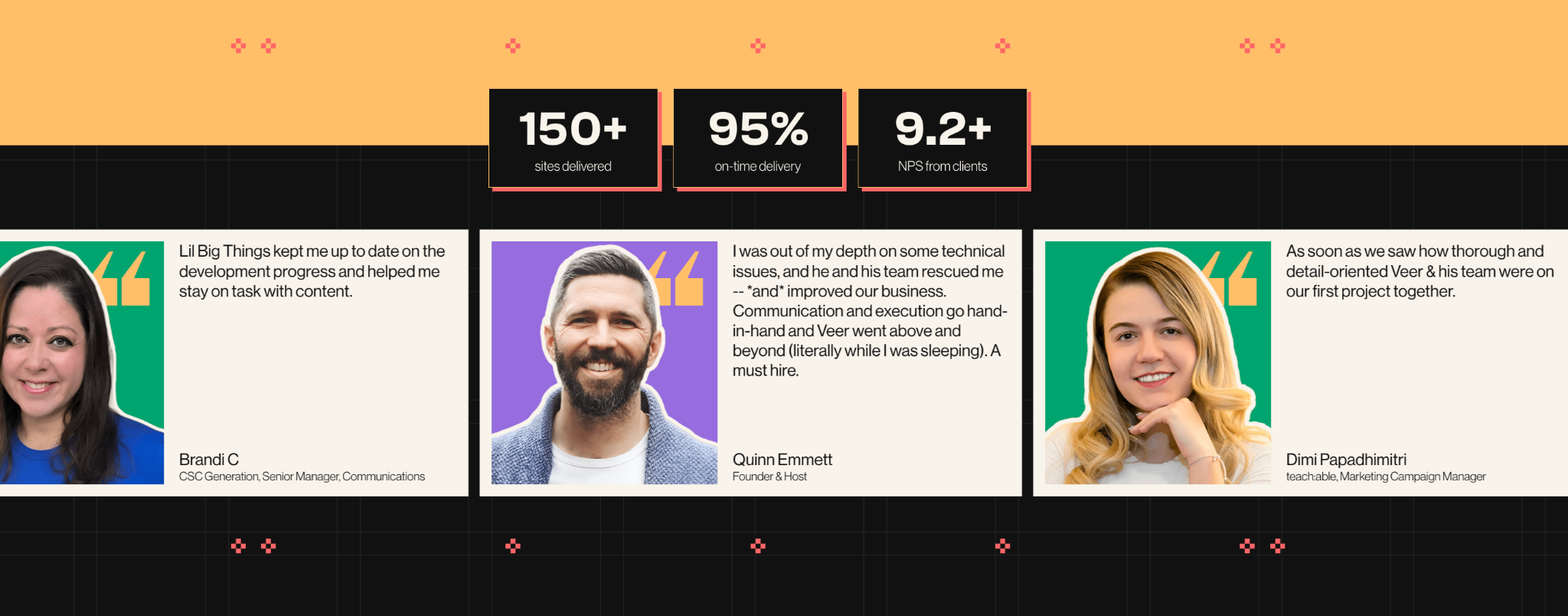
Lil Big Things is a Premier Verified Webflow agency for B2B startups and scaleups. We design, build, and maintain Webflow sites so marketing teams can move fast and publish independently. Since 2021, we have shipped 150+ sites with a 95% on-time delivery rate and a 9.2+ NPS from clients across four continents.
Migration expertise: Full end-to-end migrations: site audit, CMS schema design, image re-hosting, redirect mapping, metadata transfer, integration wiring, and post-launch SEO monitoring.
Best suited for: B2B SaaS, MarTech, AI, Data, FinTech, and HealthTech companies at Seed through Series C with marketing teams of two to fifteen. Companies that have outgrown their current site and do not want to hire an internal web team just to ship a landing page.
Notable strengths: Every CMS decision, page structure, and publishing workflow is built around one question: can the marketing team use this independently after the agency hands over? Post-launch support is built in, not billed separately. The embedded team model puts them in your Slack, working in your tools, on your timeline.
Client quote:
"Best team I've worked with in over 15 years experience alongside dev and design teams."
— Nicole Hopkins, Co-Founder, COO and Creative Director, Execudent
2. Adaptable
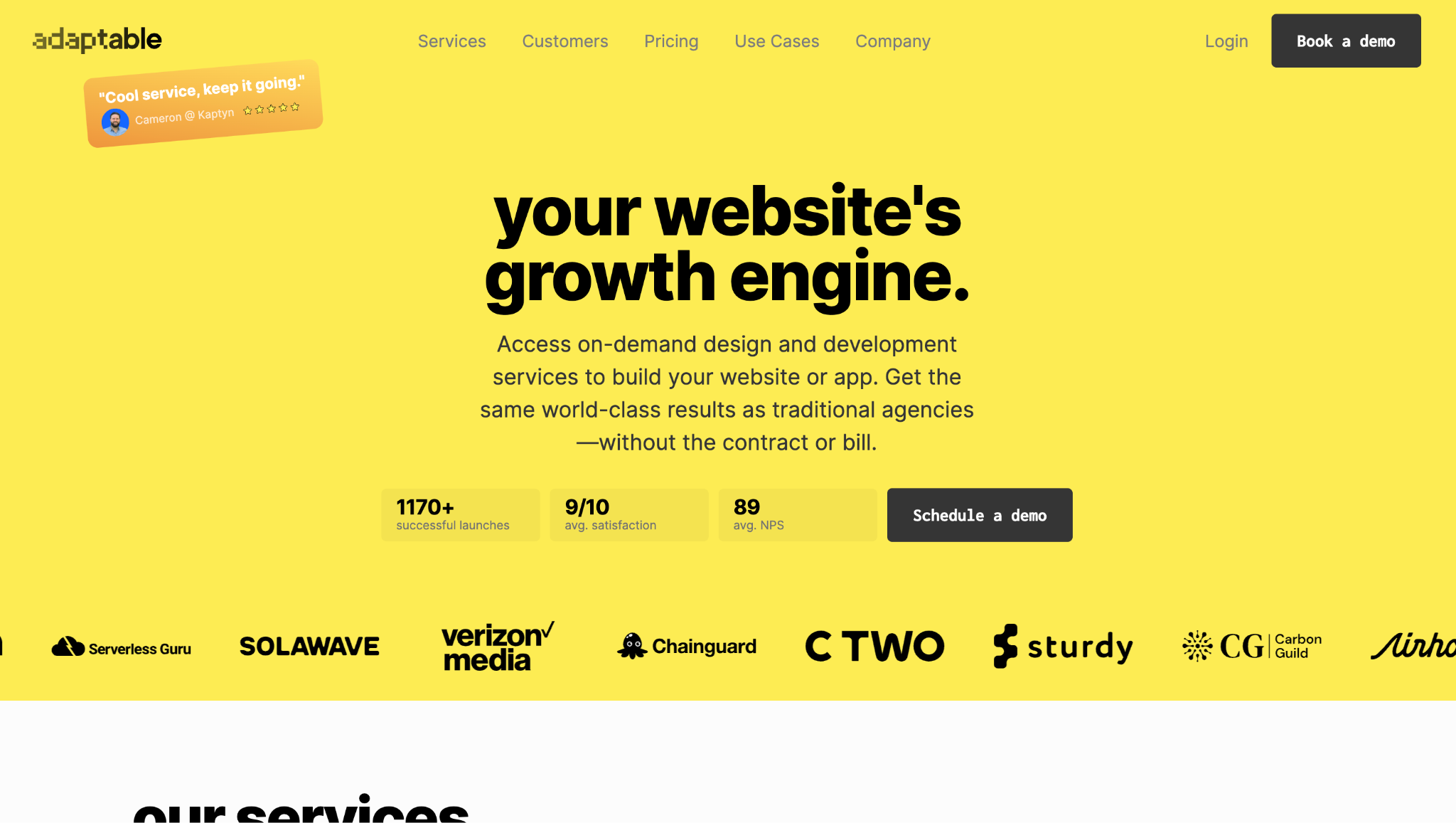
Adaptable is an on-demand Webflow design and development agency trusted by 300+ companies. They have completed 1,170+ successful launches, hold an average NPS of 89, and record a 9/10 satisfaction score across client projects.
Migration expertise: Handles migrations from Squarespace, WordPress, Craft, Contentful, Drupal, Framer, and more. Their migration service covers design, development, and SEO, with no downtime and no ranking loss as stated outcomes.
Best suited for: Startups, scaleups, SaaS companies, and marketing teams that need reliable Webflow execution without committing to a traditional agency engagement. Their model also works for enterprise teams and marketing agencies needing white-label Webflow capacity at scale.
Notable strengths: The engagement model is the clearest differentiator. Month-to-month, no long contracts, pause at any time, with a 15-day risk-free start.
3. Veza Digital
Veza Digital is a growth-first Webflow agency that treats migration as an opportunity to fix what is not working: underperforming pages, weak conversion paths, missed SEO potential rather than simply transferring the existing site. They have launched over 1,000 Webflow sites across B2B industries.
Best suited for: B2B brands where organic growth is a primary goal alongside the technical migration. Companies that want SEO gains built into the process, not added as a separate workstream after launch.
SEO capabilities: Dedicated Webflow SEO services run alongside every migration. Their approach audits for SEO improvement opportunities during the migration, not just preservation. They cite zero SEO regression and zero data loss as migration deliverables.
Common Squarespace migration challenges (and how experienced agencies solve them)
1. Large content libraries
Squarespace's export is restricted to a WordPress-compatible XML of blog posts, and only one blog if you have multiple. It does not export product pages, events, album pages, or images as files but as CDN URLs. Custom CSS and JavaScript are not exported. Every static page is rebuilt in Webflow Designer from zero.
CMS collections are designed from scratch, with schema confirmed before the build starts. Blog content can be cleaned from the XML and imported, but images must be manually re-downloaded and re-uploaded separately.
Squarespace CDN image URLs break permanently when the account is cancelled. Any agency that does not re-host images before launch is leaving a problem for later. Budget 10 to 30 hours per 100 blog posts for content cleanup alone.
2. SEO preservation
If URL structures differ between Squarespace and Webflow, then 301 redirects are required for virtually every page. The mistake most teams make is building the redirect map from Squarespace's own URL export, which is incomplete.
A Screaming Frog crawl of the live site surfaces campaign pages, archived category paths, and URL variants that the platform's own tools miss.
Every meta title, description, H1, canonical tag, and schema element needs to transfer exactly. Squarespace automates basic schema; Webflow requires schema to be implemented manually via custom code embeds.
3. Custom features and integrations
Squarespace's native integrations (Acuity, Commerce, email marketing tools, analytics) all need to be rebuilt in Webflow. Forms require new implementation. CRM connections, analytics, and conversion events each need to be reinstalled and verified.
Squarespace Commerce is worth naming directly: Webflow Ecommerce does not replicate all Commerce features, particularly subscriptions, complex discount structures, and high-volume catalogs.
For stores with significant ecommerce revenue, this needs its own scoping conversation before migration starts.
4. Launch without downtime
Build in Webflow staging, never on the live domain. Test every redirect end-to-end, submit every form, check mobile across three breakpoints, and run PageSpeed Insights on at least ten key pages before touching DNS.
Avoid cutting over on a Friday or the week of a major campaign launch. Keep the Squarespace site accessible for 30 to 60 days post-launch as a fallback if redirects break or content issues surface.
How a professional Squarespace to Webflow migration works
Here is what the process looks like when an experienced agency runs it start to finish.
1. Website audit and discovery
A full crawl via Screaming Frog exports every URL, meta title, meta description, H1, and canonical from the live Squarespace site. GA4 and Ahrefs identify high-traffic pages and backlink-equity URLs that cannot break under any circumstances.
Every integration is catalogued, and the blog XML exported for review. This audit defines the real scope, surfaces redirect complexity the client was unaware of, and produces the full picture of what must be rebuilt versus what can be imported.
2. Migration planning
Every old Squarespace URL maps to its new Webflow equivalent in a redirect spreadsheet before the build starts. CMS collection schemas are fully designed in writing: blogs, case studies, authors, categories, reference fields, filtering logic, and URL structure all confirmed.
An image re-hosting plan is agreed. Integration rebuild paths are confirmed. A DNS cutover date is locked with a rollback plan in place so the Squarespace site stays accessible if anything surfaces at launch.
3. Design and CMS migration
The Webflow project is set up with a complete design system: typography, color, and spacing as Webflow variables for consistency across every page. Static pages are rebuilt in the Designer from scratch. CMS collections are created per the agreed schema. Blog content is cleaned from the XML export, imported into Webflow CMS, images manually re-uploaded with alt text assigned, and internal links updated to new Webflow URLs before anything goes live.
4. SEO migration
301 redirects are uploaded to Webflow hosting settings. Meta titles, descriptions, and canonical tags are transferred exactly as the pages are built. Schema markup is rebuilt on every relevant page via custom code embeds.
The internal links are updated to point to new URLs. robots.txt is configured and validated before launch.
5. QA and testing
Every redirect is tested end-to-end against its expected destination. Every form is submitted and confirmed to reach the CRM. Mobile responsiveness is checked at 320px, 768px, and 1280px.
PageSpeed Insights runs on ten or more key pages before launch, with issues fixed. Cross-browser testing covers Chrome, Firefox, Safari, and Edge. Nothing goes live without a signed-off QA pass from both agency and client.
6. Launch and post-launch monitoring
DNS cuts over to Webflow and SSL is verified. The new XML sitemap is submitted to Google Search Console and the old sitemap removed on the same day. GA4 conversion events are confirmed live. Search Console is checked daily for the first 14 days for crawl errors, coverage drops, and indexing anomalies. Organic traffic is benchmarked weekly against the pre-migration baseline for 90 days minimum.
Common SEO risks during migration?
- Broken 301 Redirects: Broken links return 404 errors, causing permanent backlink equity loss.
- Flawed URL Inventories: Relying on platform exports misses active pages, resulting in incomplete redirects.
- Dropped Metadata & Schema: Neglecting meta tags and structured data ruins keyword ranking.
- Duplicate Content Penalties: Simultaneously hosting old and new content triggers search engine demotions.
- Accidental De-indexing: Failing to update Webflow’s staging robots.txt hides the site from Google.
How much should you invest in a Squarespace to Webflow migration?
Page count is the most obvious driver of cost and timelines. CMS complexity also adds additional time: relational collections (authors linked to posts, categories linked to case studies) require schema design before a single page is built.
A like-for-like migration costs considerably less than one paired with a full redesign. Multilingual sites add platform cost and build time. Post-launch support is usually separate from the migration fee.
How to choose the right Squarespace to Webflow agency
These are the criteria that separate agencies that run migrations well from agencies that just build Webflow sites.
- Proven migration experience, not just Webflow experience. Ask for a migration-specific case study and ask them to describe their redirect mapping process in detail. An agency that cannot explain this before you sign is telling you something.
- SEO expertise built into the process. Redirect mapping, metadata transfer, and post-launch Search Console monitoring should be non-negotiable parts of the migration scope, not add-ons billed separately.
- Webflow specialization. Agencies that work exclusively in Webflow carry more platform depth than generalists. Premier Verified Partner status is the highest Webflow tier and a more meaningful signal than a basic certification.
- Squarespace-specific technical knowledge. Does the agency know that Squarespace images only export as CDN URLs? Can they explain how they handle the rebuild (not import) of static pages and products? If an agency says they will import your Squarespace site into Webflow, end the call. No such tool exists.
- Transparent process. A good agency can describe exactly what their redirect mapping document looks like, how QA is structured, and what post-launch monitoring covers before the engagement starts. No black box.
- Post-launch support. Migration does not end at launch. Look for an agency that provides at least two to four weeks of post-launch monitoring as part of the engagement and can continue as an ongoing Webflow partner after that.
Questions to ask before hiring a migration agency
Take these into every discovery call. The answers will tell you more than any agency website.
- "How do you build your redirect map, from Squarespace's own export or from a live site crawl?" (Right answer: Screaming Frog crawl of the live site.)
- "Do you transfer meta titles, descriptions, and schema markup for every page, or just high-priority ones?"
- "How do you handle Squarespace's image export limitation, do you re-download and re-host images, or link to Squarespace CDN URLs?" (CDN URLs break when the Squarespace account is cancelled, a good agency re-hosts everything.)
- "How do you design the Webflow CMS schema before the build starts? Can I see an example?"
- "What does your QA checklist cover before launch, specifically around redirect testing and Core Web Vitals?"
- "What is your feedback and approval cycle, and how does delayed approval affect the timeline?"
- "Who owns the Webflow workspace after the migration, the agency or us?"
- "What post-launch monitoring do you provide, and is it included in the migration fee?"
- "How do you define a successful migration, and how will we measure it in the first 90 days?"
- "Can you walk me through how you handle Squarespace's limited export, specifically for product pages, events, and images?" (If the answer involves importing the site, end the call.)
Why choose Lil Big Things?
Lil Big Things is built for B2B SaaS startups and scaleups, specifically marketing teams that have outgrown their current site and need to move without hiring an internal web team.
What separates our approach is that we think like marketers. From Webflow design to full builds, every decision is made to ensure that the marketing team uses this independently after launch. This determines how collections are structured, how the Editor interface is set up, and which integrations get built.
Clients like Teachable, Element5, Localyze, and Minoa come back for ongoing work because the systems actually work after handoff.
The ongoing partnership model is Slack-integrated, responsive, and accountable. It keeps us embedded in your workflow for as long as you need it.
Frequently Asked Questions
Two to three weeks for small sites with under 15 pages and no CMS. Three to five weeks for medium sites with an active blog and standard integrations. Six to ten weeks for larger, CMS-heavy sites with custom integrations. The biggest variable is not build complexity, it is how fast the client reviews and approves work at each stage.
A well-executed migration produces a 5 to 15% traffic dip in the first two weeks as Google reindexes. Most sites recover within 30 days. A poorly run migration, missing redirects, dropped metadata, broken indexing, can cause 30 to 60% traffic loss that takes months to recover. Search Engine Journal's analysis of 892 migrations found an average recovery time of 523 days for sites that were not managed correctly.
Nothing transfers automatically, everything is rebuilt in Webflow. Squarespace's native integrations (Acuity, Commerce, email tools, analytics) do not move on their own. Most functionality has a Webflow-native or third-party equivalent. The exception is Squarespace Commerce: Webflow Ecommerce does not replicate all Commerce features, so ecommerce-heavy sites need specific scoping before the migration starts.
$3,000 to $12,000 for small sites. $12,000 to $30,000 for medium sites with a blog and standard integrations. $30,000 to $60,000 for larger, CMS-heavy sites. A migration paired with a full redesign adds 30 to 100% to the investment. Get a fixed-price quote rather than a time-and-materials estimate.
Like-for-like is faster, cheaper, and lower risk. You can redesign once the marketing team is comfortable in Webflow. Running a redesign and a migration simultaneously makes it harder to identify what caused any post-launch traffic changes, and it pushes timelines significantly.
Partly. Webflow Ecommerce handles standard product catalogs but does not replicate Squarespace Commerce features like subscriptions, complex discount logic, or high-volume catalog management. For stores with significant ecommerce revenue, evaluate whether Webflow Ecommerce is the right fit or whether the commerce layer should sit on a dedicated platform like Shopify alongside the Webflow marketing site.
Yes, unless every single URL is staying identical, which is rare. Webflow CMS URL patterns differ from Squarespace's defaults. Even if main pages match, blog archives, category pages, and old campaign URLs likely will not. Run a Screaming Frog crawl of your current site before assuming any URLs are safe.
A full list of your current Squarespace integrations. A GA4 baseline of your top traffic pages. Admin access to Google Search Console. A clear decision on like-for-like versus redesign. The cleaner your content and the faster your approval cycle, the faster the migration goes.