Two months into your Webflow launch, you check Google Search Console. Coverage is down 34%. Rankings on your top three commercial keywords have vanished from page one. Traffic is 42% below where it was on the old site. Your team spent eight weeks building the new site, and forgot the 301 redirect map for the blog archive.
This is what a migration without a proper SEO audit looks like. And it's not rare. A 2025 Ahrefs study found 60% of website migrations result in measurable organic traffic loss. A separate analysis of 892 migrations, cited by Search Engine Journal, put the average time to regain pre-migration traffic at 523 days.
The good news: this is one of the most preventable problems in SEO. Well-executed migrations recover within 2 to 8 weeks. Some improve on their pre-migration baseline within 90 days. The difference between the two outcomes is almost entirely about what you audit before you start, how you handle URLs during the move, and what you monitor after launch.
This guide walks through the exact SEO checklist to run before, during, and after migrating to Webflow. Tools, sample spreadsheets, verification steps, and the checks that determine whether your traffic dips for two weeks or two years. For the full migration process guide, read our complete guide to migrating to Webflow for startups. This blog focuses on the SEO layer specifically.
What should you audit before migrating from WordPress to Webflow?
The pre-migration audit is the single highest-leverage step in the entire project. Everything downstream (redirect map, metadata transfer, post-launch monitoring) depends on this baseline. Skip it and you're gambling with your organic traffic.
The audit answers three questions:
→ What lives on the site today, and what does it earn?
→ What has to be preserved, what can be consolidated, and what can be killed?
→ What's the baseline against which we'll measure the post-launch site?
If you want a broader primer on audits, read our website audit guide. For migration-specific audits, here's what to capture:
1. Full site crawl.
Use Screaming Frog or Sitebulb to crawl the current site. Export every URL, status code, canonical tag, meta title, meta description, H1, indexability status, and internal link count. This becomes your source of truth.
.png)
2. Search Console export.
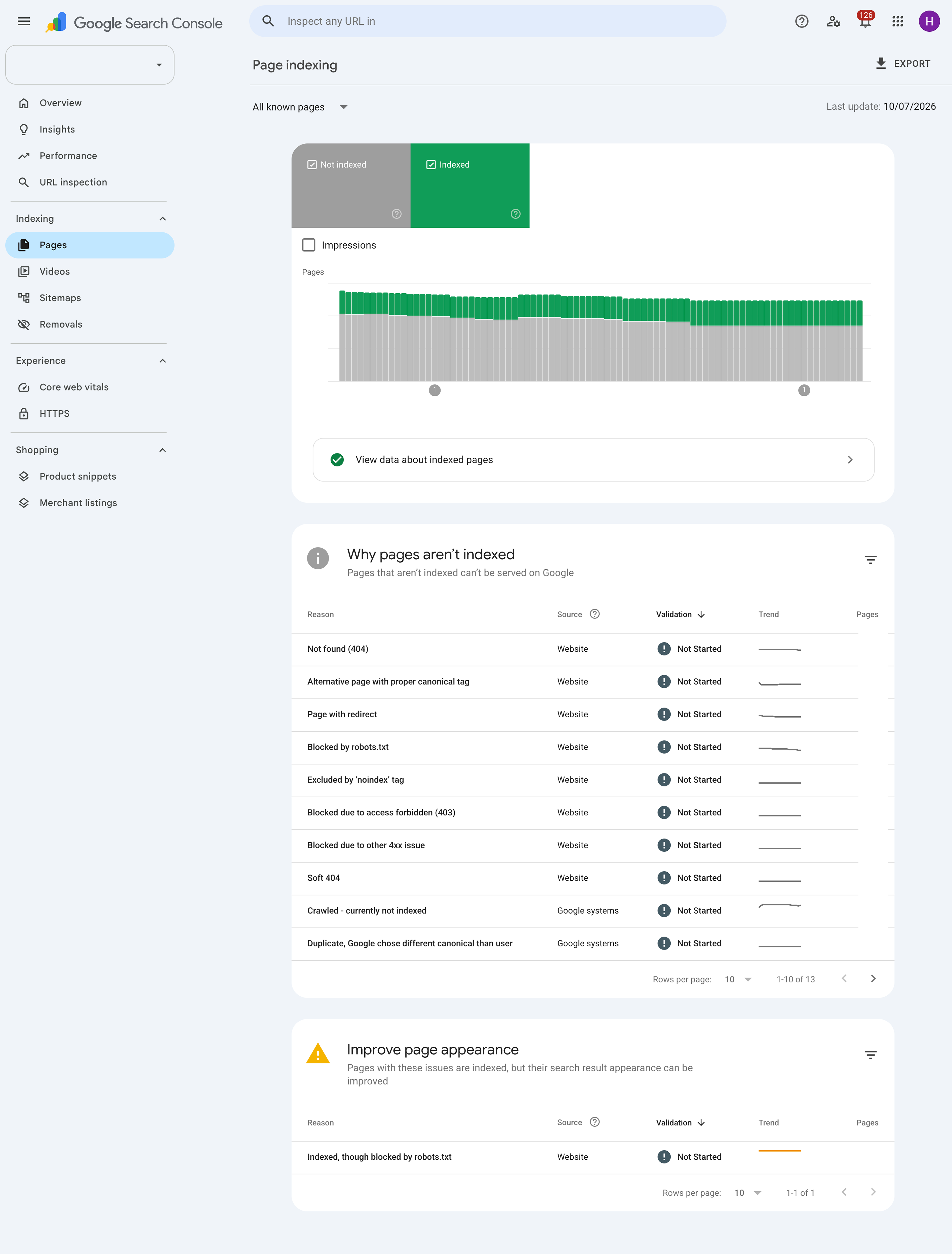
Pull query data, top landing pages, index coverage, and any existing coverage errors from Google Search Console. Save the last 16 months of data before launch to preserve the historical baseline.
3. Analytics baseline.
Export from GA4: sessions, users, conversions, and revenue by landing page for the last 12 months. This is what you'll compare against post-launch to measure recovery.
4. Backlink profile.
Export from Ahrefs, Semrush, or Moz. Sort by referring domain authority AND business value. A local directory link that sends leads can matter more than a high-DR link that doesn't. Flag pages with significant backlink equity: those get first priority in the redirect map.
5. Structured data inventory.
Note every page using schema markup (Organization, Article, Product, FAQ, HowTo, LocalBusiness). Schema doesn't transfer automatically to Webflow, it gets rebuilt.
6. Hreflang and canonical audit.
For multilingual sites, document every hreflang pair. For single-language sites, document canonical URLs across duplicate or near-duplicate pages.
Build a URL inventory spreadsheet:
This spreadsheet drives every subsequent decision — the redirect map, the CMS design, the QA plan.
Will you lose SEO rankings when you migrate to Webflow?
Not if the migration is done properly. The platform change itself doesn't cost rankings. Execution does.
Google's John Mueller has publicly stated that ranking stabilization typically runs 4 to 12 weeks after a well-executed migration. Most sites see a 5 to 15% traffic dip in the first two weeks (normal reindexing), then full recovery by week six.
The migrations that hit that timeline share five traits:
→ Complete URL inventory captured before build starts
→ Every changed URL gets a direct 1:1 or 1:many 301 redirect
→ Metadata (titles, descriptions, canonicals) preserved on migrated pages
→ Structured data rebuilt in Webflow, not skipped
→ Search Console coverage monitored daily for 30 days post-launch
The migrations that lose rankings usually share three failures:
→ Missing redirects on high-authority URLs (the blog archive is the most common casualty)
→ Bulk-redirecting old URLs to the homepage (Google reads this as soft 404s)
→ Launching without validating structured data or hreflang
Miss any one of the top three and traffic can drop 30 to 60% within days. Get all five right and rankings usually recover inside two months.
How do you set up 301 redirects to protect your rankings?
Redirects are the technical spine of an SEO-safe migration. Every URL that changes needs a 301 pointing directly to its new home.
The rules:
→ All redirects must be 301, not 302 or meta refresh. 301 signals a permanent move, which passes ranking equity. 302 doesn't.
→ No redirect chains. Old URL should point directly to new URL, not through 2-3 intermediate URLs. Every hop weakens the signal.
→ 1:1 wherever possible. Old URL → single most relevant new URL.
→ Many:1 when consolidating. Three old thin pages → one new stronger page is fine.
→ Retire, don't misdirect. Pages with no relevant destination get a 410 (Gone) response, not a redirect to the homepage. Google treats homepage redirects as soft 404s.
How to build the map in Webflow:
- Open the URL inventory spreadsheet from your pre-migration audit
- For every old URL, fill in the new URL column with its Webflow destination
- Export as CSV
- Go to Webflow → Site settings → Publishing → 301 Redirects
- Bulk import the CSV
Sample redirect map:
Tools that speed this up:
→ Screaming Frog List Mode — upload old URLs, verify redirects return 301, catch chains
→ Rapid301 — auto-generates pattern-based redirects (95% first-pass accuracy on WordPress migrations)
→ httpstatus.io — bulk-check redirects post-launch
Common redirect mistakes that tank traffic:
→ Redirecting the blog archive URL (/blog/) but forgetting individual post URLs
→ Redirecting example.com/page but missing example.com/page/ (trailing slash variant)
→ Missing PDF URLs (they're often invisible in a standard crawl)
→ Forgetting old campaign URLs that still receive traffic
→ Not testing HTTPS/HTTP variants
Can you actually improve SEO after switching to Webflow?
Yes, and it happens more often than not when the migration is done right.
Webflow ships cleaner HTML, faster hosting, and better default Core Web Vitals than most WordPress builds. When you preserve URL equity AND upgrade the technical foundation at the same time, rankings tend to improve within 90 days rather than merely recover.
The clearest recent example is Hubilo, a B2B SaaS company that migrated from WordPress to Webflow:
This successful, on-time, on-budget migration ended up driving an 85% increase in speed-to-market and an 89% increase in organic traffic. Hubilo was not ranking for any of their non-brand keywords on page one before the migration and post-migration had over two dozen on page one in just six months.
— Hubilo migration case study, via Zabal Media
You can see similar patterns across our portfolio of Webflow migrations — most B2B sites we've migrated hit their pre-migration traffic baseline within 60 days and exceed it inside six months.
Where the SEO upside comes from post-migration:
1. Core Web Vitals improvements. LCP typically improves 30 to 50%, INP by 20 to 40%. Better scores lift rankings on mobile queries.
2. Cleaner HTML. Webflow outputs semantic markup by default. No plugin bloat, no theme legacy code, no inline styles fighting each other.
3. Faster indexation. Webflow's CDN and clean sitemap generation help Google discover new pages faster.
4. Better editorial hygiene. Marketing teams update titles, descriptions, and schema themselves in Webflow's CMS. On WordPress, half the sites we audit have stale meta from 2019 because updating meant filing a dev ticket.
To capture these gains, don't just migrate. Layer on our Webflow SEO checklist after launch: schema markup, internal linking, image optimization, and structured metadata across every collection.
→ See how our team runs SEO-safe migrations
How do you transfer meta titles, descriptions, and alt text to Webflow?
Metadata is one of the most frequently dropped elements in a migration. Usually because the team assumes the new CMS will pick it up automatically or that it can be rewritten after launch. Neither is safe.
The rule: preserve, then optimize. Move metadata as-is. Optimize later.
What has to move:
→ Meta title (exactly, per page)
→ Meta description (exactly, per page)
→ Canonical tag (usually points to the page's own URL unless it's a duplicate)
→ Open Graph title, description, and image (for social sharing)
→ Twitter Card metadata
→ Schema markup (Organization, Article, BlogPosting, Product, FAQPage, HowTo)
→ Alt text on every image
→ Robots meta tags (only preserve if intentional — audit for stray noindex tags first)
How to migrate metadata to Webflow:
For static pages: enter meta directly in each page's SEO tab in Webflow.
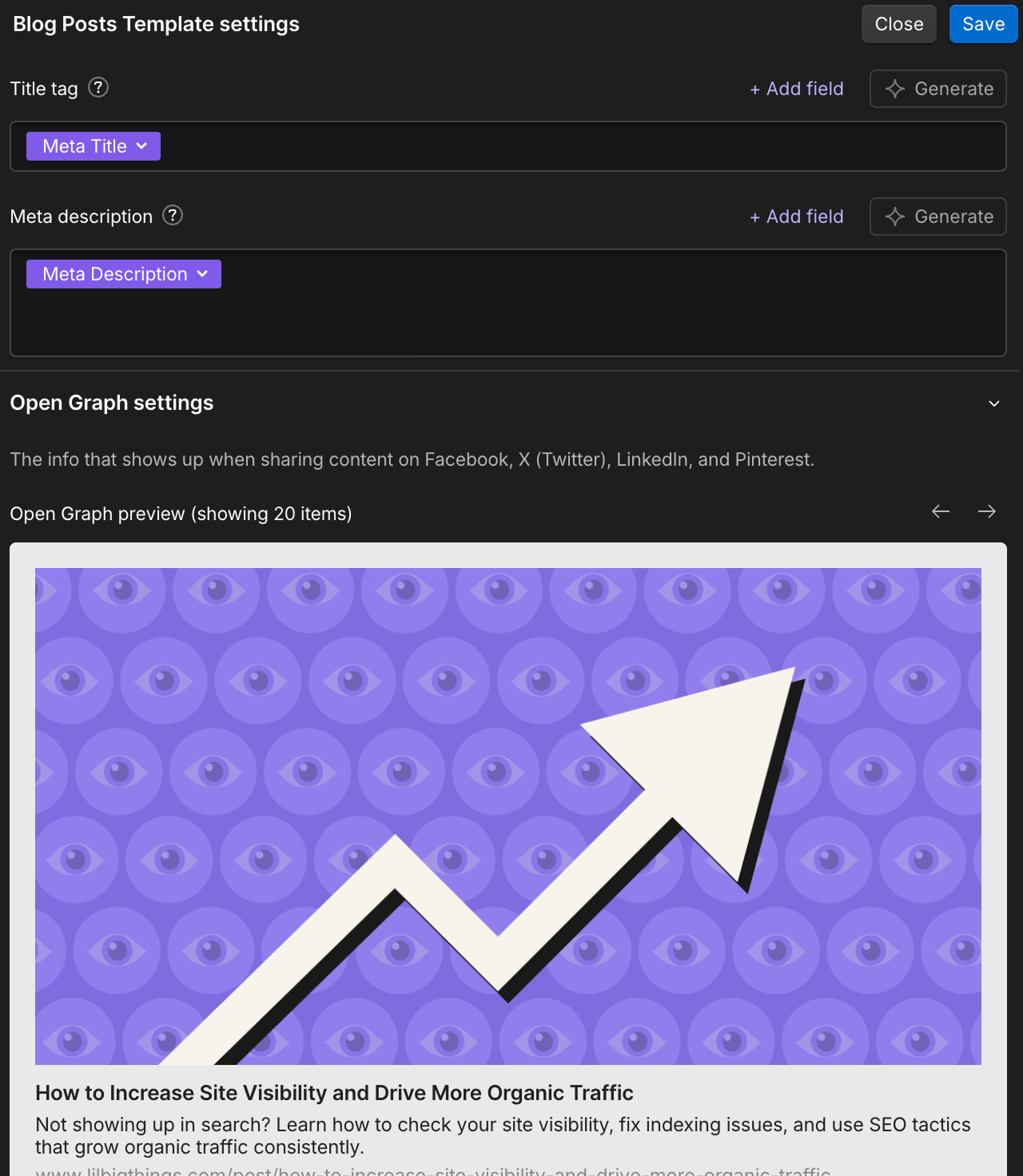
For CMS pages: this is where structure matters. In your CMS collection, add fields for Meta Title, Meta Description, and OG Image. Then in the Collection Template's SEO settings, bind those fields dynamically. Miss this binding and every CMS page falls back to your site-wide default meta.
Sample CMS collection schema for SEO-safe blog posts:
How to migrate alt text:
Alt text lives on image assets in WordPress but on image placements in Webflow. During CSV import, add an "Image Alt" column to each row. Webflow reads that field when the image gets placed.
For static-page images, you'll manually add alt text in Webflow's image settings after import.
The complete pre, during, and post-migration checklist
Pre-migration (2 to 4 weeks before build starts):
→ Full site crawl exported (Screaming Frog or Sitebulb)
→ 12-month baseline pulled from GA4 (sessions, users, conversions by landing page)
→ Search Console query and coverage data exported
→ Backlink profile exported (Ahrefs or Semrush)
→ URL inventory spreadsheet built with priority and disposition per URL
→ Schema markup catalogued page by page
→ Hreflang pairs documented (multilingual sites)
→ Robots.txt reviewed for stray noindex directives
During build (weeks 2 to 5):
→ CMS collections designed with dynamic SEO fields (Meta Title, Meta Description, OG Image)
→ Static page metadata entered in Webflow's SEO tab
→ Canonical tags configured on templated collection pages
→ Redirect map completed and uploaded as CSV
→ Robots.txt on staging blocking all crawlers (Disallow: /)
→ XML sitemap generated automatically by Webflow
→ Structured data rebuilt in custom code embeds
Launch day:
→ Robots.txt updated on production to allow crawling
→ DNS cutover to Webflow
→ SSL certificate active
→ XML sitemap submitted in Google Search Console
→ 301 redirects verified via Screaming Frog List Mode
→ Live-site crawl compared against staging crawl (Screaming Frog Compare Crawls)
Post-launch (first 30 days):
→ Search Console coverage checked daily for the first 2 weeks
→ 404 errors monitored (any URL missed from the redirect map surfaces here)
→ Ranking tracking on top 50 keywords (Ahrefs or Semrush)
→ GA4 traffic compared to baseline weekly
→ Core Web Vitals measured on top 20 landing pages
→ Internal linking audited for stale references
Ready to run an SEO-safe Webflow migration?
Send us your current site. We'll come back with a full pre-migration SEO audit, a scoped redirect map, and a launch timeline within 48 hours. Every migration comes with 301 redirect mapping, structured data rebuild, and 30 days of Search Console monitoring built in.
Frequently Asked Questions
Well-executed migrations recover within 2 to 8 weeks. Poorly executed ones can take 500+ days. The difference is redirect completeness, metadata preservation, and post-launch monitoring.
Screaming Frog or Sitebulb (crawler), Google Search Console (indexation baseline), GA4 (traffic baseline), Ahrefs or Semrush (backlink profile), and a spreadsheet tool (URL inventory). Optional but useful: Rapid301 for automated redirect generation, httpstatus.io for post-launch redirect verification.
Yes. On launch day, submit the new XML sitemap in Search Console and monitor the Coverage report daily for the first two weeks. Also use the "Change of Address" tool in Search Console if the domain is also changing.
No. Google treats bulk homepage redirects as soft 404s and drops the equity. If an old URL has no topical match on the new site, either redirect to the closest relevant page or return a 410 (Gone) response.
Schema doesn't transfer automatically. Catalogue every page using schema during the pre-migration audit, then rebuild each one in Webflow either via CMS field templates or custom code embeds in the page settings' Before </head> tag section.
Incomplete redirect maps. Specifically, blog archive URLs, PDF resources, and old campaign landing pages that don't show up in a standard crawl. Cross-reference your crawl with Search Console's top landing pages, backlink reports, and any WordPress database exports to catch them.