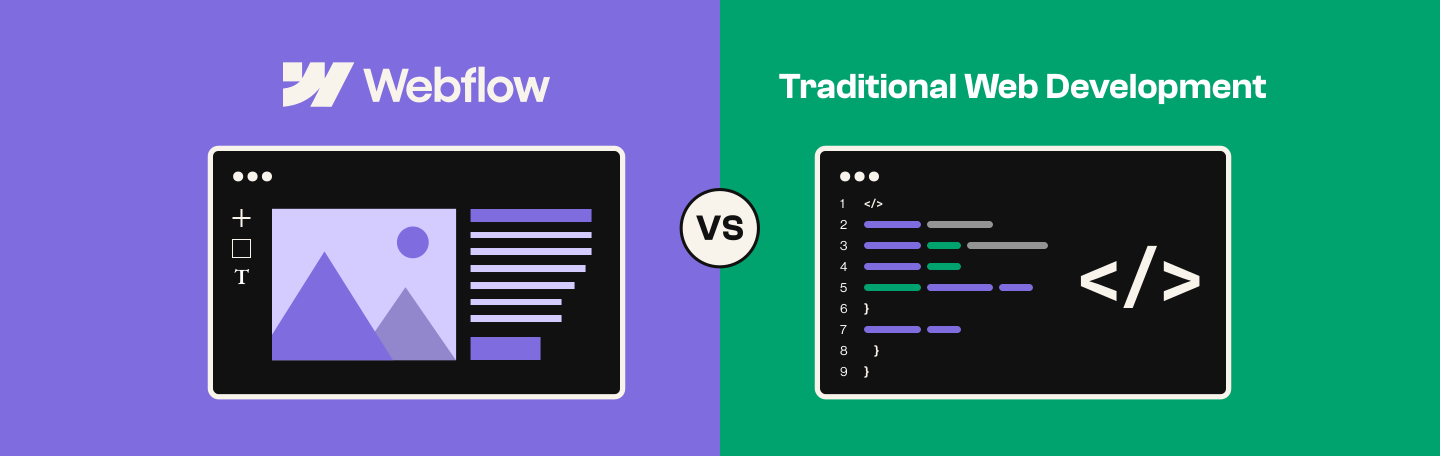
For most B2B SaaS marketing sites, Webflow is the better choice in 2026. It bundles hosting, CMS, and security with built-in governance, roles, permissions, staged publishing, that lets a whole marketing team make changes safely without a developer. Traditional development remains the right call for complex, proprietary software products that need full custom engineering.
You wait home all day for the cable guy. The appointment window was 9am to 5pm. At 4:45pm, he knocks, looks at the router, unplugs it, plugs it back in, and leaves. Problem solved.
That's also a pretty accurate description of what it's like to ask a traditional web development team to change your homepage headline.
The developers aren't the problem. The ticket, the queue, and the "we'll get to it this sprint" were built for actual engineering problems, not a headline swap. A B2B SaaS marketing team doesn't need someone to come diagnose the router. It needs to be able to walk up and plug it back in itself.
That's really the question behind every Webflow vs traditional web development search: which kind of agency partner should get this project, and why. The right answer depends less on which option sounds more modern and more on what the site actually needs to do, who needs to be able to change it, and how much that speed is worth. Here's how the two approaches compare, and how to tell which side your business belongs on.
What's the real bottleneck: building a website or managing it as it grows?
It's not the build. Almost any competent team, traditional or Webflow, can ship a first version of a marketing site. The bottleneck shows up six months later, when more people need to touch the site, more pages exist, and something inevitably needs a review step before it goes live.
Traditional development gives a business two states: full code access, or none. There's nothing in between, so every routine change defaults to "ask a developer." Webflow's advantage is that it solves two separate problems at once:
- managed infrastructure, so the platform patches, hosts, and secures the site without anyone on the team having to
- orchestration and governance, so roles, permissions, and staged publishing let the whole marketing team work on the site without breaking it
That second part is what actually removes the developer as a gatekeeper. The permission system becomes the gatekeeper instead.
Why some teams still pick traditional web development: key features
Not every website is a marketing problem. Sometimes it's genuinely an engineering one, and no visual builder changes that. Traditional web development still wins when a business needs:
- Full code ownership. Nothing is proprietary, nothing depends on a platform's roadmap or pricing changes, and the codebase belongs to the business, permanently.
- Unlimited backend flexibility. Custom database logic, proprietary business rules, and integrations that don't exist as a plugin anywhere, built exactly to spec.
- Real architectural scale. Frameworks like React and Next.js are built to handle complexity a website platform was never designed for.
- Specialists instead of generalists. Dedicated backend, frontend, DevOps, and QA roles, each built to do one part of the job well.
For a customer portal, a pricing calculator wired into internal systems, or deep integration with proprietary software, this is still the right toolkit.
Where does traditional web development break down as the site grows?
There's no governed path between "developer owns everything" and "nobody owns anything," which is why the cost shows up after launch, not at it.
- No role for routine changes. A headline swap or new campaign page defaults to a developer ticket, queued behind engineering work.
- No staging layer built for marketing. Design and code live in separate tools with no shared review step. About two-thirds of teams waste between a quarter and half their time on that handoff friction.
- No review gate before changes go live. Quick patches ship straight to production. Technical debt, developers' single biggest frustration, compounds quietly right along with it.
- Infrastructure assembled, not governed. Hosting, CMS, and security patching come from separate vendors someone has to keep in sync manually.
Where does WordPress fit in the Webflow vs traditional development comparison?
WordPress is genuinely powerful and runs a huge share of the web. The catch is that power comes from a plugin architecture, not a governed one.
- Each plugin (SEO, forms, page builder, security, caching) is its own maintenance surface, with its own update schedule and its own chance of breaking something else on update.
- There's no native equivalent to role-based publishing gates or page branching. Access tends to be all-or-nothing per user, same structural gap as traditional development, just running on cheaper infrastructure.
- Security patching is the site owner's job, not the platform's. A neglected plugin is the single most common way WordPress sites get compromised.
WordPress can absolutely work for a B2B SaaS marketing site. It just moves the governance problem from "we never solved it" to "we have to solve it ourselves, plugin by plugin."
Pipecandy, a Lil Big Things client, migrated its blog off WordPress and onto Webflow for exactly this reason: removing the developer dependency slowing down content changes, while adding a custom CTA system the old CMS couldn't handle safely on its own.
Why is Webflow managed growth architecture, not just a website builder?
Webflow's infrastructure layer replaces what WordPress and traditional stacks leave to the business to assemble:
- Hosting, CDN, and SSL bundled in, no separate vendor to provision or patch
- A CMS built to scale structured content without a developer touching a database
- A deploy pipeline with staging and production environments, version history, and rollback built in
None of that alone explains why developer dependency drops. The governance layer does, and it deserves its own answer.
How does Webflow let a whole marketing team work on the site without breaking it?
Bundled hosting and a CMS handle the infrastructure half of this. They don't handle what happens when a content editor, a designer, and a developer all need access to the same site without one of them accidentally taking it down.
- Role-based permissions. Content editors can publish CMS updates. Designers can rework layouts. Neither can touch what their role doesn't cover, so access isn't all-or-nothing anymore.
- Page branching (Webflow Enterprise). Multiple people work on different pages at the same time without one person's in-progress work blocking or breaking what everyone else ships.
- Staged publishing. Changes get reviewed on a real staging URL before anyone risks the live site.
- Design approvals (Webflow Enterprise). Nothing merges into the main site without a second set of eyes.
Awardco put this to the test during a full rebrand and Series B launch: more than 30 contributors across four countries built over 2,000 pages in parallel using page branching, cutting a projected one-year timeline in half.
"Webflow Enterprise bred a culture of radical ownership," said Hannah Robinson, Product Marketing Manager at Awardco. "If something was broken, anyone could go in and fix it without waiting on a developer." Roles and permissions meant designers who weren't developers could swap out visuals and translations without risking the rest of the site.
Is Webflow good for SEO and AI search visibility?
Yes, and this matters more every quarter. Webflow development generates clean, semantic HTML5 automatically (proper <header>, <nav>, <main> tags), which search crawlers and AI answer engines both parse more reliably than the plugin-heavy, JavaScript-dependent markup common on legacy CMS setups. Built in, without a plugin or a developer:
- Editable meta titles and descriptions, at the page and CMS-collection level
- Automatic XML sitemaps and robots.txt control
- Schema markup tools, including AI-assisted generation, for structured data AI systems can parse
- Automatic llms.txt support, built specifically to help AI systems interpret site content
- Fast Core Web Vitals by default, a confirmed ranking factor for both traditional and AI-driven search
A plugin-bloated WordPress page or an unmaintained custom site often ships bloated JavaScript that AI crawlers can't reliably read.
Traditional web development vs Webflow development: quick comparison table
The honest version of the Webflow vs traditional web development comparison rarely comes down to a single winner. It comes down to where each approach's strengths line up with what a specific project needs.
Cost and timeline figures reflect 2026 agency benchmarking data from Clutch and GoodFirms.
What do teams actually gain after switching to Webflow?
Dropbox Sign cut the number of tickets it assigns to developers by 67% after moving its marketing site to Webflow Enterprise, and Dropbox Sign's own team credited the platform with more than doubling content production speed year over year.
Greenhouse migrated off a custom CMS that required a developer for every change, and Greenhouse now executes standard page updates roughly twice as fast, ships event pages in one week instead of two, and has seen a 40% conversion lift on demo-request pages, all with zero downtime during the migration itself.
The stronger point is governance: Greenhouse trained its own marketers to edit safely inside guardrails, so, in the words of its own team, "everyone is an owner" on the site now.
Spin Master moved off a developer-dependent headless setup, where every web request competed with engineering priorities and got deprioritized. After adopting Webflow, Spin Master cut web development costs by $500,000 and now delivers web experiences 3x faster, with one-off pages taking as little as a week instead of the six months a full site build used to require.
When to choose traditional development vs Webflow
Webflow isn't the right fit for everything, and pretending otherwise would undercut the rest of this argument. The choice mostly comes down to what the site actually needs to be.
Choose traditional web development when:
- The site needs complex, proprietary business logic no plugin or platform can replicate
- It's a customer-facing application with authentication and user accounts, not a marketing site
- It requires deep integration with internal engineering systems
- Full code ownership matters more than speed, and the business already has engineering resources to build and maintain its own governance layer
Choose Webflow when:
- The site's job is to generate pipeline and adapt as fast as the marketing roadmap changes
- More than one person needs to safely touch the site, with real permission boundaries, not just good intentions
- Content and design changes need to ship the same day, not the same sprint
- Marketing wants to own the site day to day, with governance built in rather than assembled
This is the Webflow agency vs web development agency decision in practice: most experienced B2B SaaS marketing teams choose the former, because the governance advantages only show up in full when someone who knows how to configure roles, branching, and staged publishing is doing the building.
What this comes down to
The bottleneck was never building the site. It's managing the technology underneath it as the site, the team, and the number of people touching it all grow. Webflow handles that with two layers working together: managed infrastructure that removes the maintenance burden, and orchestration and governance that removes the coordination burden. Traditional development still wins for genuine software products and businesses that already own their engineering governance in-house.
Picking Webflow is only half the decision, though. The platform's speed, the bundled hosting and CMS, the marketing-team autonomy: none of that shows up automatically. It shows up when an experienced team builds it that way from the start. That's the gap between a Webflow site that still needs a developer for everything and one that genuinely doesn't.
Lil Big Things has built more than 150 Webflow sites for B2B SaaS marketing teams, with a 95% on-time delivery record and a 9.2+ NPS from clients who've been through the process. If the four questions above point toward Webflow, that's the kind of team the decision is actually asking for.
Frequently Asked Questions
Not entirely. Webflow removes the developer from routine day-to-day work: content, layout, campaign pages, A/B tests. A developer still matters for custom code, complex integrations, and the initial architecture. The accurate framing: dependency moves from perpetual (every change, forever) to upfront (an experienced team builds the componentized system once, correctly, and marketing owns it after that).
Yes, for the marketing site itself. Webflow handles CMS-driven blogs, resource libraries, gated content, integrations with CRM and analytics tools, and complex design systems without difficulty. Where it reaches a real limit is the SaaS product itself, the actual application behind the login, which is a different build entirely.
This is really the Webflow designers vs traditional developers question in miniature. Yes, a traditional developer can still customize a Webflow site. Webflow supports custom code. Most B2B SaaS sites end up needing some custom code somewhere, and that's normal for a marketing site this capable.
Less than a proprietary custom CMS does. Webflow exports clean HTML and CSS, though a fully custom-coded site still offers more flexibility for a business planning to migrate to a completely different architecture down the line.
Meaningfully longer in most cases. The average professional web development project has a nine-month timeline. A comparable Webflow build, handled by an experienced team, typically ships in a fraction of that time, since there's no separate design-to-code translation step slowing things down.
When the site's primary job is marketing, not engineering, and the team wants ongoing control without a developer in the loop for routine changes. A Webflow agency brings both the design and technical expertise to build it correctly the first time, which usually matters more in the long run than the hourly rate.