You don't have three weeks to build a website before you can start pitching. If you're a freelance designer, a new agency owner, or running a small studio, the site itself needs to look like proof of your work, not a distraction from getting it.
That's what a template buys you: a credible, client-facing site without starting from a blank canvas. But most "best templates" lists are written by the person selling the templates, which makes it hard to tell whether a pick earned its spot or just pays the author's bills.
We're a Webflow agency, not a template shop, so we've got no horse in this race. Every template below was chosen for the same three things that actually matter once a client is looking: a real CMS collection for case studies, a services or team page you won't have to bolt on later, and a price built for a solo studio or a small team.
12 Best Webflow agency templates in 2026
Every template below earned its place for the same three reasons: a multi-page structure that holds Home, Work, About, and Contact without feeling stretched thin; CMS collections that let you add case studies without touching the layout; and a price that fits a solo studio or small team, not an enterprise budget.
Prices here run from $35 to $129. If budget is the only real constraint, a few genuinely free options are covered further down.
1. Studio CMS
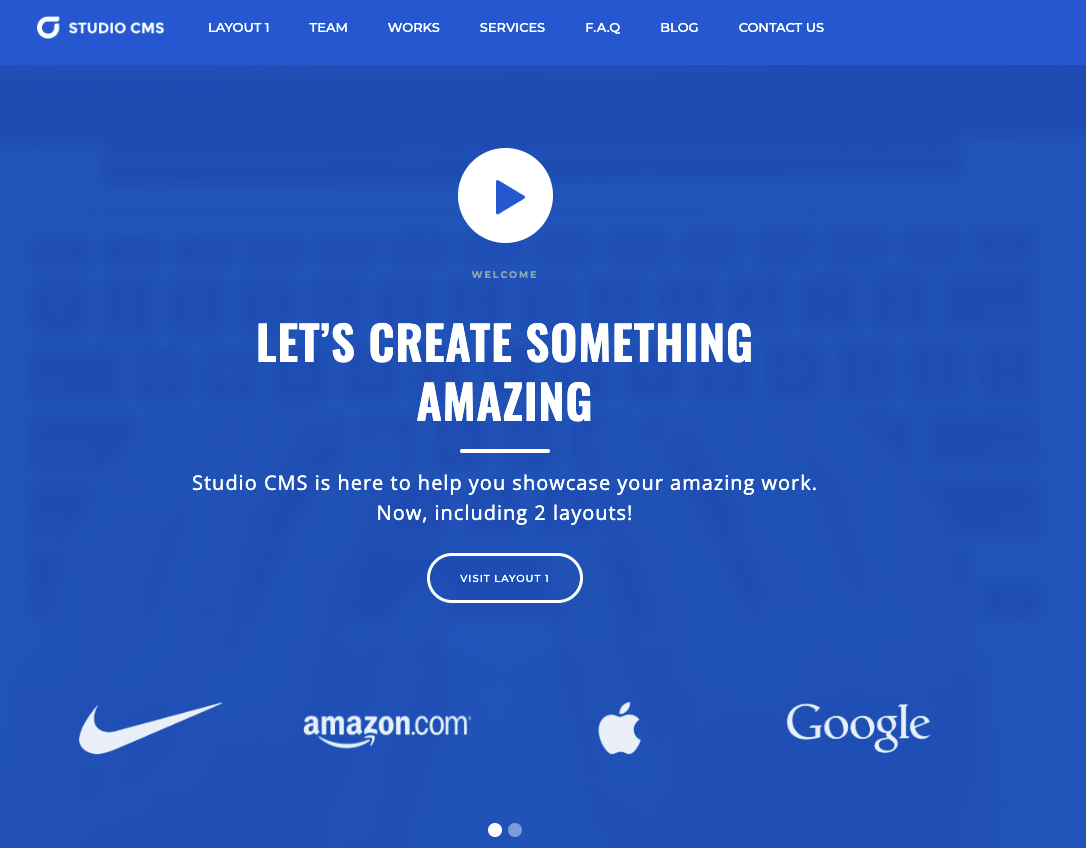
The full-featured value pick. Studio CMS covers everything a growing agency needs to say about itself — work, team, and writing — without the price climbing past $49.
Key features
- Pages: About Us, Services, Works, Team Members, Blog, Contact
- CMS collections for Works, Team Members, and Blog
- Clean, adaptable layout that suits most agency types
- Reusable components throughout
- Fully responsive design
- Built-in contact form
Perfect for: agencies that want services, team, and blog pages covered from day one without paying premium prices for them.
Price and licence: $49 · single site licence
2. Willow
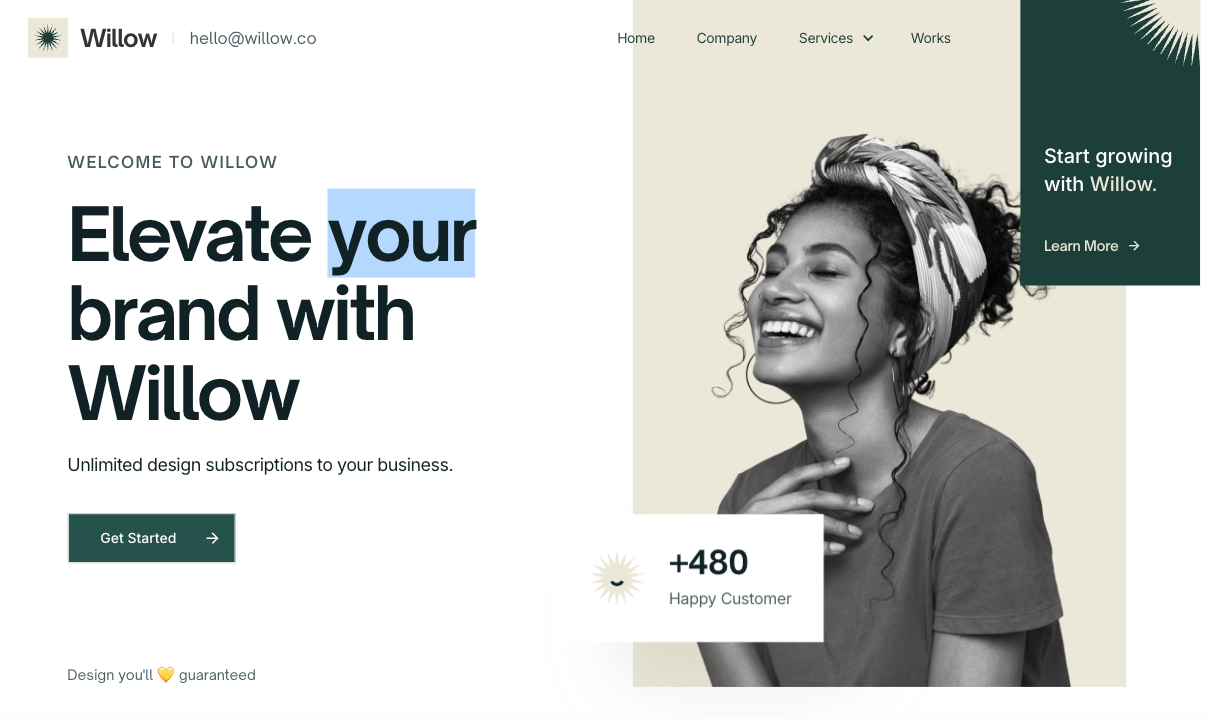
Built by Flowbase, one of the larger names in the Webflow template space, Willow blends clean structure with expressive motion and bold typography. This one is a strong all-rounder for a studio that wants personality without going fully editorial.
Key features
- Pages: Home, Company, Services, Case Study, Contact, 404
- CMS-driven Case Study collection
- Bold typography with expressive motion
- Fully customisable colour, structure, and animation
- Reusable component system
- Fully responsive design
Perfect for: studios and creative teams that want a services page and case studies handled out of the box.
Price and licence: $49 · single site licence
3. &Fold

The premium consultancy pick, and one of the most expensive templates on this list. Quieter and more intentional than most agency templates, with a full Figma source file included to speed up any rebrand.
Key features
- Three homepage layout variations
- Dedicated Offerings page for service packages
- Journal CMS for essays or case studies
- Three About and three Contact layout options
- Figma source file included with purchase
- Light, considered visual style
Perfect for: solo consultants and small service-led studios that want the site to hold space for the work.
Price and licence: $129 · single site licence
4. Bittersweet

Strikes a balance most templates miss: personality without sacrificing credibility. An earthy palette and bold type give it a defined point of view, and it's one of the few templates here with a genuine team-member CMS.
Key features
- Multiple layout options for Home, About, and Work pages
- CMS collections for blog, projects, and team members
- Earthy colour palette with bold typography
- Tasteful hover and scroll animations
- Flexible structure suited to a range of agency types
- Fully responsive design
Perfect for: branding agencies and creative studios that want personality without losing credibility.
Price and licence: $129 · single site licence
5. Absolute
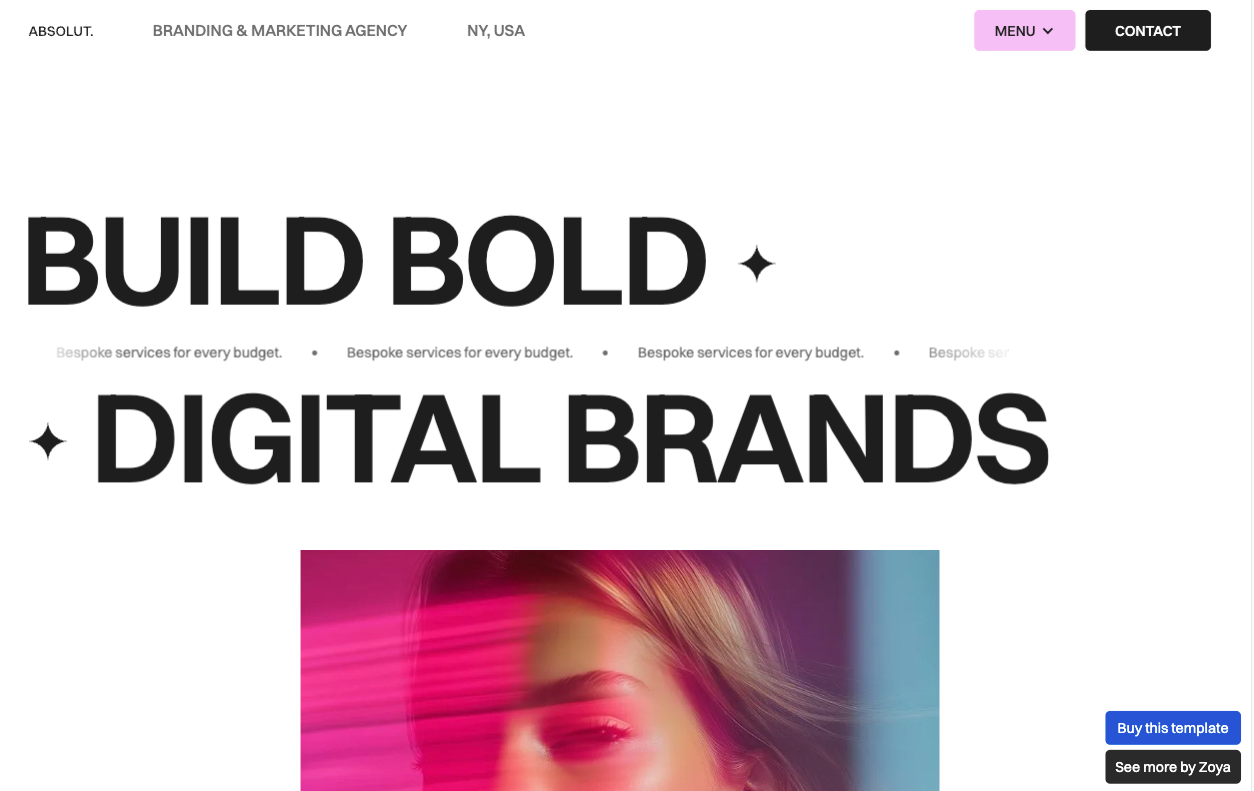
Oversized, unapologetic typography is the whole personality here, with a neutral palette that keeps focus on the photography and case study imagery filling the page.
Key features
- 12 pages including blog, projects, and team-member CMS collections
- Oversized, statement typography
- Neutral colour scheme built to let photography lead
- Smooth hover and scroll animations
- Minimalist layout structure
- Fully responsive across devices
Perfect for: creative branding and marketing agencies that want a bold visual identity, ready-made.
Price and licence: $99 · single site licence
6. Andersen
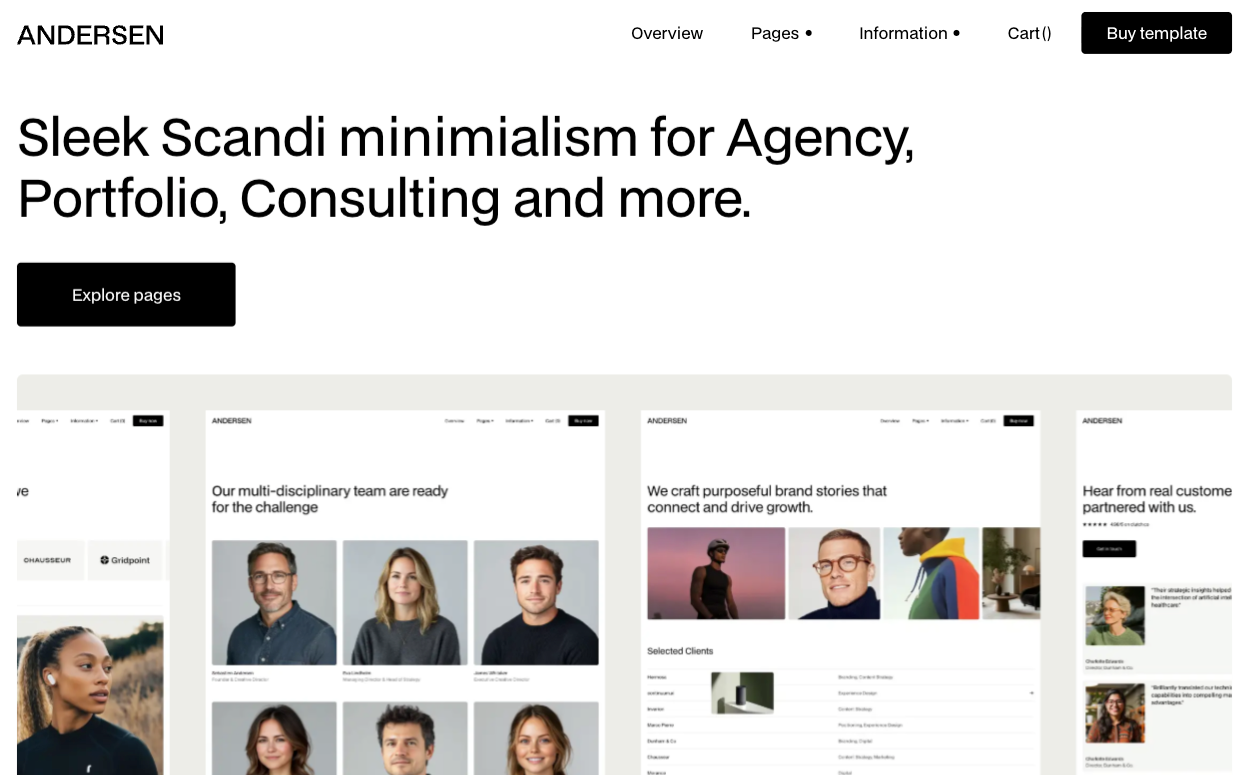
Built on the idea that the case studies are the pitch and the template should get out of the way. Backed by Medium Rare, one of the longer-running Webflow template shops, which shows in build consistency.
Key features
- Minimal, portfolio-first layout
- CMS for projects and case studies
- Flexible page structure for studios of one to fifteen
- Global styles for fast rebranding
- Responsive across desktop, tablet, and mobile
- Clean, adaptable typography pairing
Perfect for: boutique studios and solo designers whose case studies are the entire pitch.
Price and licence: $129 · single site licence
7. Alture
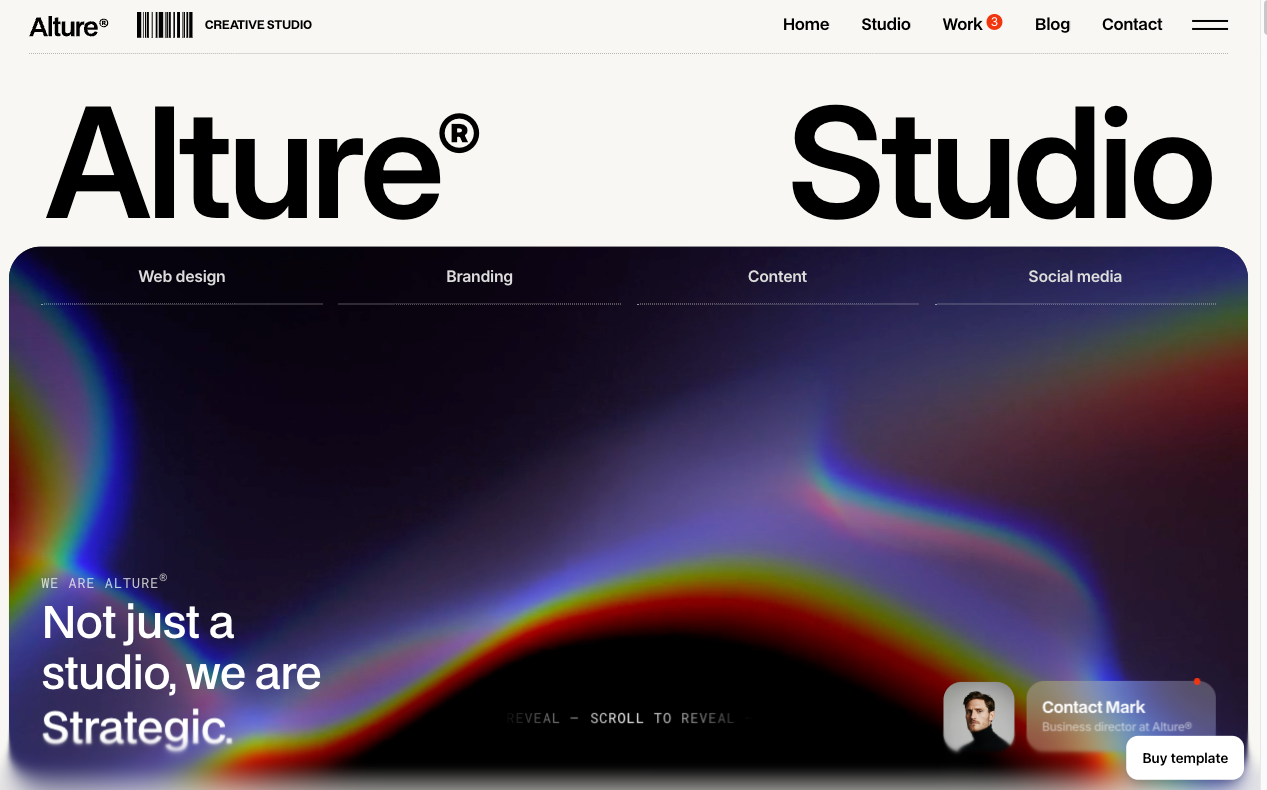
The flexibility pick. Three distinct layout options each for Work, Blog, and Contact mean the same template can suit a few different agency personalities without a rebuild.
Key features
- Three layout options each for Work, Blog, and Contact pages
- Clean, light-themed visual style
- Smooth scrolling throughout
- Simple grid system with generous whitespace
- Flexible structure that adapts to different agency types
- Fully responsive design
Perfect for: studios still refining their presentation, or ones expecting their needs to shift as they grow.
Price and licence: $129 · single site licence
8. Aiaiaiai
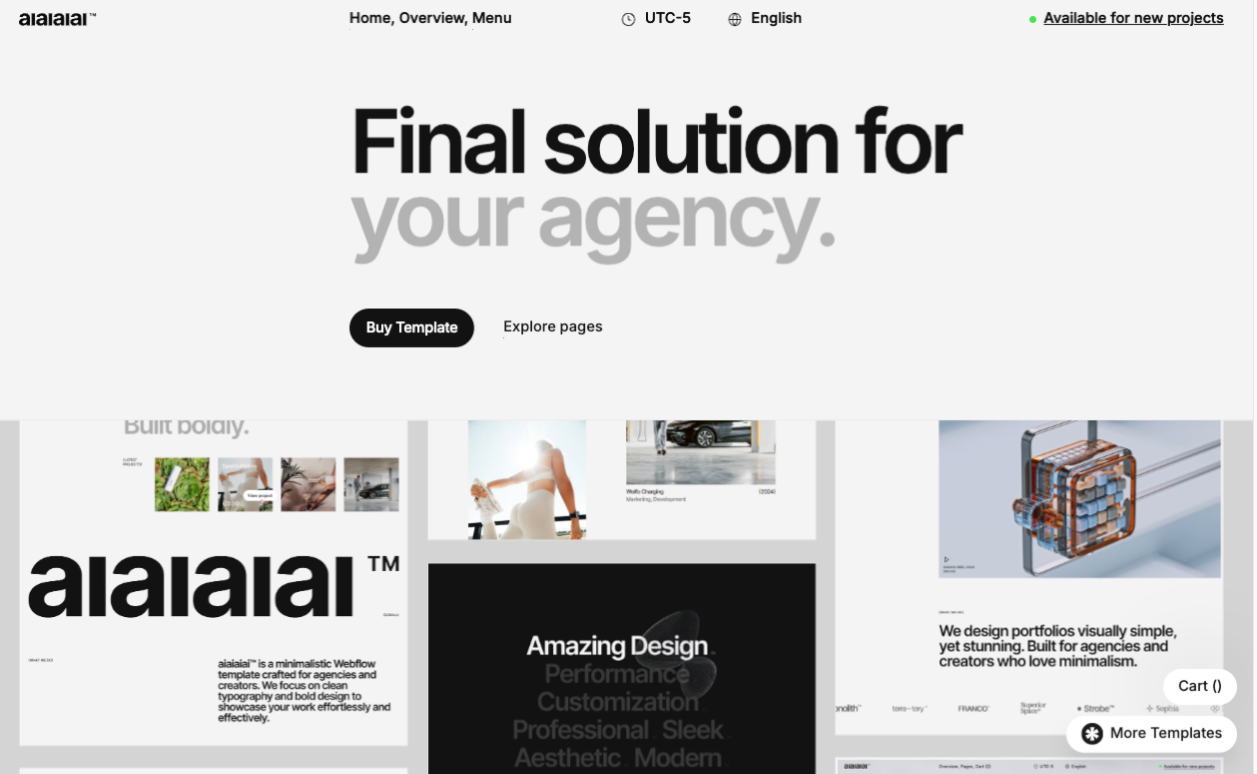
A multi-layout template with three variations each for Home, About, and Work — built for an agency that wants room to experiment with presentation without switching templates. Clean typography and a minimalist frame let the projects carry the page.
Key features
- Three layout variations each for Home, About, and Work
- Dedicated Project and Contact pages
- Figma file included on request after purchase
- Clean, minimalist typography-led design
- Fully responsive design
- Optional ecommerce/store setup
Perfect for: agencies and creators who want built-in flexibility to test different homepage and about-page presentations.
Price and licence: $129 · single site licence
9. Norwalk
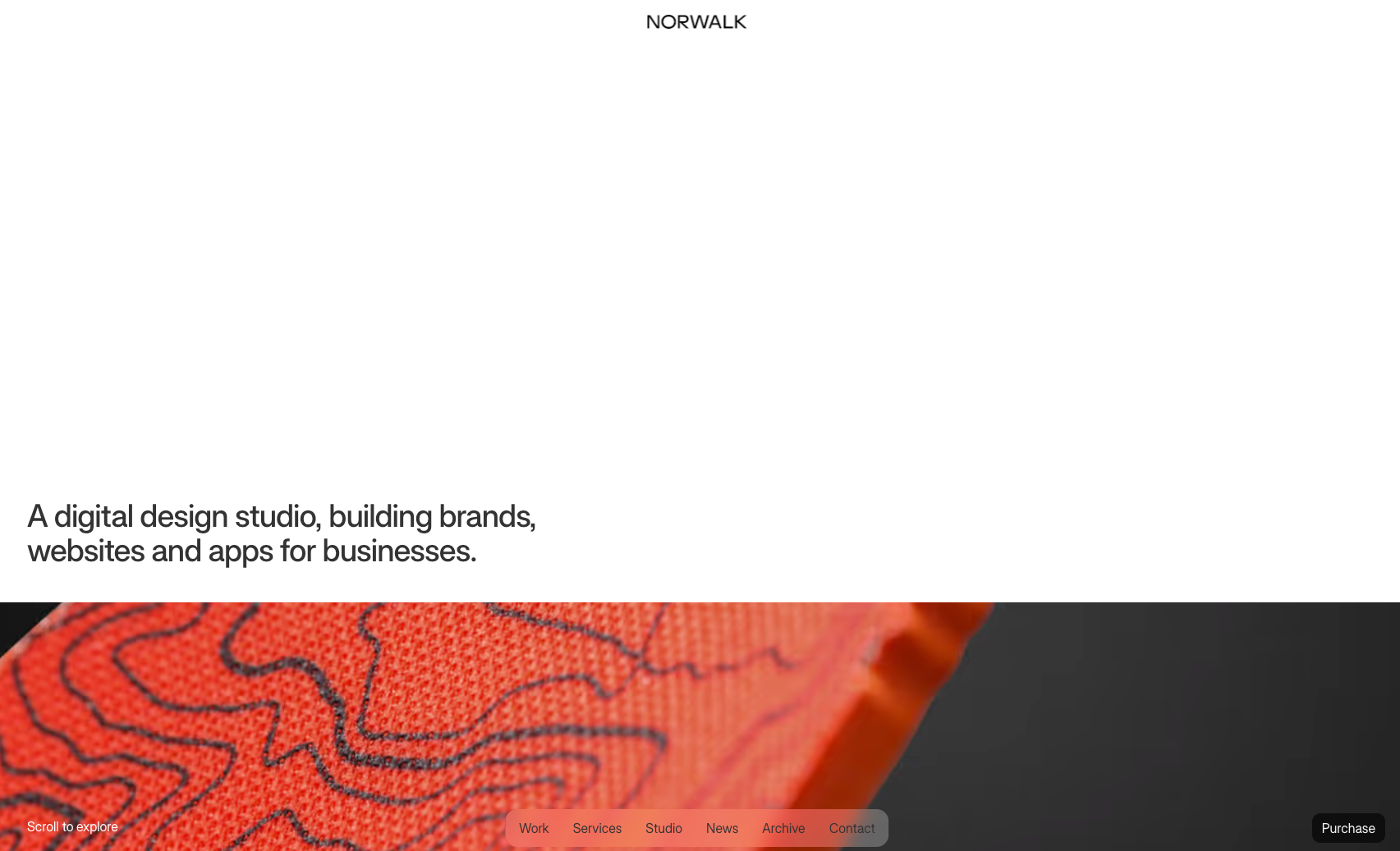
The minimal, visual-first pick. Norwalk gets out of the way of the work — ideal for an agency with striking photography or projects that don't need much text to land. Chic and quiet, but versatile enough to suit a wide range of agency types.
Key features
- Pages: Home, Work, Work Detail, Archive, Services, About, News, News Detail, Contact, 404
- CMS collections for Work and News
- Smooth animations and interactions
- User-friendly CMS setup
- Fully responsive design
- Password-protected page option
Perfect for: agencies with strong visuals that want the photography to do the talking.
Price and licence: $49 · single site licence
10. Magency

A sleek, modern agency template with smooth animation and SEO groundwork built in — a straightforward pick for a studio that wants a polished site fast, without a steep customisation curve.
Key features
- Modern, animated layouts built for portfolios and services
- Built-in SEO optimisation
- Fully responsive, mobile-first design
- Clean, intuitive class naming for easy edits
- CMS-ready structure
- Optional ecommerce setup
Perfect for: creative professionals and small agencies that want a modern, conversion-ready site without a long build.
Price and licence: $79 · single site licence
11. Darkstudio X

The dark pick, from BRIX Templates. Fourteen-plus pages built specifically for branding and design agencies that want a moodier canvas for their case studies, with the CMS and ecommerce groundwork to match.
Key features
- 14+ pages, 60+ sections
- CMS and ecommerce functionality built in
- Figma file included with purchase
- Three header, footer, and notification bar variants
- Seamless appearance and scroll animations
- Fully responsive design
Perfect for: branding agencies and design studios that want a dark-mode site with real page depth.
Price and licence: $79 · single site licence
12. Flowy

The budget pick, and still a legitimate multi-page build rather than a stripped-down one-pager. Built on Client-First, Webflow's widely-used naming convention, which makes it easier to hand off or extend later.
Key features
- Pages: Home, Projects, Services, Contact, Blog, Blog posts, single project pages
- CMS for blog posts and projects
- Built on Client-First naming conventions
- Clean, responsive layout
- Fully customisable in Webflow Designer
- Direct designer support included
Perfect for: solo consultants and brand-new studios that need a proper multi-page site on a tight budget.
Price and licence: $35 · single licence
Get Flowy → (sold via Gumroad, not the Webflow marketplace)
Which Webflow agency template should you choose?
Twelve is a lot to scan through twice. Here's the fast version. Match what you actually need against the pick built for it.
Note: If your site needs to speak to SaaS buyers rather than showcase a portfolio, check out our dark Webflow templates for B2B and SaaS startups.
What factors should you consider when choosing a Webflow agency template?
A homepage screenshot sells the aesthetic. Whether a template actually works for your agency comes down to four things a preview won't show you.
1. CMS depth for case studies
Look past the homepage to how the work pages are actually built. A real CMS collection for case studies means adding a new project without touching the layout. Anything less means rebuilding a page every time you land work.
This is also where the underlying platform matters, not just the template: see our breakdown of how Webflow's CMS compares to other platforms if you're still deciding on Webflow itself.
2. Team and services page support
Not every template ships with these. If you bill for services rather than just showcasing projects, a dedicated Services or Offerings page saves you from bolting one on later. A Team CMS matters the moment you hire your second person.
3. Price vs. page count
More pages and CMS collections usually mean a higher price, but not always a better fit. A $49 template with exactly the pages you need beats a $129 template with six you'll never touch.
4. Customization ceiling
Every template can be restyled in colour and type in an afternoon. Fewer survive an actual rebrand: new page types, custom interactions, an integration the original designer never planned for. That's the point where a template stops being a shortcut and needs real Webflow design work to hold up.
Free vs premium Webflow agency templates: what you should choose
Free isn't just a placeholder until you can afford something better. A few free Webflow templates are genuinely built well enough to launch on.
Three worth using
1. Canvas (Tyler Hughey)
This is the most distinctive of the three: dark theme, animated, built by one of Webflow's most active free-template creators. It leans creative and edgy rather than corporate, so it fits a studio whose work is loud more than one that needs to read as buttoned-up.
2. Webflow's own official free Agency Website template
This is built on Finsweet's Client-First naming system. Client-First is the closest thing Webflow has to an industry standard, which matters if anyone other than you will ever touch the site's classes and structure.
3. Mokat (Masterthemes)
This one goes editorial: bold, oversized type, more personality than the Webflow option without the sharper edge of Canvas.
Where free runs out
- None of the three ship with the CMS depth of a $49+ template.
- Case studies, team pages, and services sections mostly need to be built in rather than dropped into an existing collection.
- The visual polish that makes a paid template look good: spacing, interaction detail, components holding together under real content.
A free template gets a site live. Whether it gets a site to look like it belongs to a working agency is a separate question, and it's usually the gap between the two that decides whether it's worth bringing in real Webflow design work to close.
The right template today, the right partner later
Any of these twelve will get an agency site live this week instead of next month. That's the whole point of starting from a template rather than a blank canvas. Pick based on how you actually work: services-first goes with &Fold or Norwalk, case-study-led goes with Andersen or Studio CMS, and budget goes with Flowy.
Where a template stops being enough is predictable: the day you need something the original design never anticipated, or the site needs to scale past what one person can maintain alone.
That's not a template problem, it's just a different job. When that day comes, Lil Big Things builds Webflow sites for a living, and our work is a reasonable place to see what that looks like in practice.
Frequently Asked Questions
No. Webflow's standard template license is single-use. One license covers one project. Reusing a purchased template across multiple client sites means buying a separate license each time, regardless of how much you customize it.
Colour, type, and imagery take an afternoon on most of these. Looking genuinely custom (new page types, different section ordering, interactions the original designer didn't plan for) takes real Webflow work, not just swapping placeholder content.
Studio CMS, Norwalk, and Flowy all ship with a CMS-driven blog alongside the project pages. Most of the others handle case studies only; a blog would need to be added on top.
You can always add them later, but it means new page types and new CMS collections rather than editing existing content. &Fold, Studio CMS, and Norwalk have them included from the start.
Darkstudio X is the strongest dark pick on this list, with real page and CMS depth behind the aesthetic. Canvas, covered in the free section, is the free dark option, though it leans more edgy than corporate.
For most of these, yes, up to a point. Andersen and Bittersweet were built with that flexibility in mind. What usually forces a rebuild isn't headcount, it's outgrowing the page structure itself: more services, more case study formats, integrations the template never accounted for.