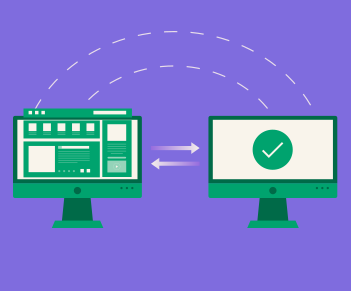
Webflow migration is the process of moving an existing website onto Webflow, which means rebuilding the design in the Designer, restructuring content into CMS Collections, and remapping every URL to its new address.
Key Takeaways
- Webflow migration is a rebuild, not an import. There is no one-click transfer of a design from WordPress, Squarespace, or Wix. The layout is recreated in the Webflow Designer.
- Content moves more easily than design. CMS content imports via CSV into Collections, so the work is in mapping fields, not retyping posts.
- URL structure almost always changes, because Webflow serves Collection pages under a folder slug you define. That makes the redirect map the highest-value artifact in the project.
- Plugin-dependent functionality has to be rebuilt. Webflow has no plugin ecosystem, so search, memberships, filtering, and forms are handled by native features or third-party tools.
- The most common source platform is WordPress, and the most common reason for the move is maintenance burden rather than design.
- Scope is driven by page count, template count, and CMS complexity, not by how the old site looks.
Most teams budget a Webflow migration as a move. It is a rebuild.
That single misunderstanding causes more blown timelines than anything else in this kind of project. Your content transfers in an afternoon. Your design does not transfer at all. This page covers what a Webflow migration actually involves, which parts move and which get rebuilt, what changes about your URLs, and what tends to go wrong.
What is Webflow migration?
Webflow migration is moving a website from its current platform onto Webflow, including recreating the design, restructuring the content into Webflow's CMS, and redirecting the old URLs to their new equivalents.
Think of it this way. Exporting your content from WordPress is like packing your books. Rebuilding the design in Webflow is like rebuilding the shelves. The books move in boxes. The shelves get made again from scratch, to fit the new room.
It is a specific case of website migration, and it usually combines two types at once: a platform migration and a URL structure migration. Occasionally a domain migration rides along if a rebrand is happening at the same time, which is when scope gets genuinely difficult.
Why do teams migrate to Webflow?
The reason is almost never that the old site looks bad. It is that changing the old site is slow.
The pattern we see repeatedly in B2B and SaaS: marketing wants to ship a landing page, and shipping a landing page requires a developer, a ticket, and a sprint. Webflow moves that capability to the marketing team. The design system stays locked, the components stay consistent, and pages ship the same week they are briefed.
The secondary reasons cluster around maintenance. No plugin updates, no security patching, no hosting to manage, no theme conflicts after an update. For a small marketing team without a developer on staff, that overhead is the actual cost of WordPress, and it does not show up on any invoice.
The honest counterweight is that Webflow is not the right answer for every site. Complex ecommerce, heavy application logic, and very large content estates all push against its limits. We compare platforms on their merits in our CMS platform comparison.
What are the types of Webflow migration?
Migrations are usually named by source platform, and each one carries a different amount of work.
WordPress to Webflow is the most common. Content exports cleanly to CSV. The design is rebuilt. The real complexity is in whatever plugins the site depended on, which is where scope hides.
Squarespace to Webflow and Wix to Webflow are typically smaller sites with less structured content. Faster projects, though Wix's URL patterns often need careful redirect mapping.
Framer to Webflow and Gatsby, Next.js, or custom-coded to Webflow are less about content and more about whether the existing functionality can live inside Webflow at all. Worth scoping before committing.
Shopify to Webflow and the reverse are ecommerce migrations, which is a different discipline with product data, variants, and checkout to account for. Treat as its own project type.
Webflow to WordPress exists too, and it is a legitimate move. Usually driven by wanting to own the hosting or by hitting a Webflow constraint the site has grown past.
What actually gets rebuilt in a Webflow migration?
Three things move. Three things get rebuilt. Knowing which is which is how you scope accurately.
Moves relatively cleanly: CMS content via CSV import into Collections, media assets, and copy.
Gets rebuilt from scratch: the visual design in the Webflow Designer, the interaction and animation layer, and any plugin-dependent functionality.
That last category is where projects overrun. Webflow has no plugin ecosystem by design, so anything a plugin was doing needs another home. Site search, membership and gating, advanced filtering, form logic, and multilingual content are all solved in Webflow, but through native features or third-party tools like Memberstack, Jetboost, and Finsweet rather than by installing something.
The practical implication for scoping: count templates and functional requirements, not pages. A 200-page site running on six templates with no plugins is a smaller project than a 30-page site with a membership area and a filtered directory.
How do you migrate from WordPress to Webflow?
Work in five stages, and do the inventory before anything else.
Export and audit. Pull your WordPress content to CSV and crawl the live site for every URL, with its traffic, backlinks, and rankings. This is your redirect map's source data and your priority list.
Model the CMS first. Map WordPress post types, categories, and custom fields onto Webflow Collections and field types before any design work starts. Getting the content model wrong is expensive to fix later, because Collection structure is what the templates are built against.
Rebuild the design. Templates first, then one-off pages. Build a style system rather than styling pages individually, or you inherit the same maintenance problem you left.
Solve the plugin gaps. Every piece of plugin-driven functionality gets a decision: native Webflow feature, third-party tool, custom code, or drop it. Make these calls during scoping, not during build.
Map redirects, then launch. Every old URL gets a 301 to its closest new equivalent, entered in Webflow's hosting settings. Check them against your crawl before you point the domain, not after.
Then monitor Search Console daily for four weeks. Expect a dip. Investigate anything still down at eight weeks. Our Webflow SEO checklist covers what to verify on staging before the switch.
What goes wrong in a Webflow migration?
Two failures account for most of the damage, and both are about URLs.
Collection pages change your paths. Webflow serves CMS Collection items under a folder slug you set on the Collection. A WordPress site with posts at /2024/03/post-title becomes /blog/post-title or /post/post-title in Webflow. That is not optional, it is how the platform works, and it means every content URL on the site changes even though nothing about the content did.
Partial migrations leave duplicates behind. If both the old and new path stay live and serve the same content, you have not migrated. You have split the page's equity across two addresses and asked Google to guess.
We hit this on our own site. During a move from /post/ to /glossary/, both paths returned a 200 with identical content, neither carried a canonical tag, and the og:url on one still pointed at the other. The page kept ranking the whole time, so nothing looked broken. It was competing with itself for weeks before we caught it.
The third failure is quieter. A new template can render body headings at the wrong level, drop structured data, or change canonical behaviour across every page built from it. None of that appears in a redirect audit, and all of it affects how search engines and AI assistants parse the page. That is the same structural work that drives website ranking in the first place.
How long does a Webflow migration take?
Four to twelve weeks for most B2B marketing sites, plus two to eight weeks of ranking recovery after launch.
The variables that actually move the timeline are template count, CMS complexity, and how much plugin functionality needs rebuilding. Page count matters far less than teams expect, because 40 pages on four templates is mostly a content exercise.
Cost follows the same variables. The line items that get missed in budgeting are the redirect mapping, the pre-launch technical audit, and the plugin replacement decisions. We break the numbers down in how much a Webflow migration costs.
Check Webflow's current plan limits before you scope, since CMS item counts and redirect allowances vary by plan and a large content estate can force a tier decision you did not budget for.
Thinking about moving to Webflow?
We migrate B2B tech and SaaS sites onto Webflow, including the content model, the redirect map, the pre-launch technical audit, and the search and AI visibility baseline most teams skip. Talk to us about your migration
Frequently Asked Questions
No. Webflow suits marketing sites that need design control and fast publishing without developer involvement. Complex ecommerce, heavy application logic, and very large content estates push against its limits. Scope the functional requirements against the platform before committing to the move.Start with the fundamentals in what is website migration, then check your foundations with website visibility and the Webflow speed optimization guide before you launch.
Cost scales with template count, CMS complexity, and how much plugin-driven functionality needs replacing. The commonly missed line items are the redirect mapping and the pre-launch technical audit. See our Webflow migration cost breakdown.
Four to twelve weeks for a typical B2B marketing site, driven by template count and CMS complexity rather than page count. Add two to eight weeks after launch for rankings to settle. Ecommerce migrations and projects combining a rebrand with a platform move run longer.
They do not transfer. Webflow has no plugin ecosystem, so each piece of plugin functionality gets rebuilt using a native feature, a third-party tool such as Memberstack, Jetboost, or Finsweet, or custom code. Deciding this during scoping rather than during build is what keeps the timeline honest.
Usually yes, at least for CMS content. Webflow serves Collection items under a folder slug you define, so a WordPress post at /2024/03/title becomes something like /blog/title. Static page URLs can be preserved. Plan the redirect map around the Collection paths from the start.
Temporarily, and it should not be permanent. Rankings typically dip for two to eight weeks while Google recrawls and follows your redirects. Permanent loss comes from missed redirects, redirect chains, or leaving the old URLs live alongside the new ones. A complete 301 map built before launch is what prevents it.
No. Content can be exported from WordPress to CSV and imported into Webflow CMS Collections, which handles posts, categories, and custom fields. The design cannot be imported. It is rebuilt in the Webflow Designer, and that rebuild is the largest part of the project.
Webflow migration is moving an existing website onto Webflow. It involves rebuilding the design in the Webflow Designer, importing content into CMS Collections, replacing any plugin-driven functionality, and redirecting every old URL to its new address. It is a rebuild rather than a file transfer.