

How to Add NFC Tag Integration to Your Website
Your customer taps an NFC tag on your product, business card, or store display—and lands on a generic homepage that doesn't acknowledge why they're there. You just wasted a perfectly good lead. Here's how to set up NFC tags that actually connect your physical marketing to your website and drive results.
What is NFC Tag Integration for Websites?
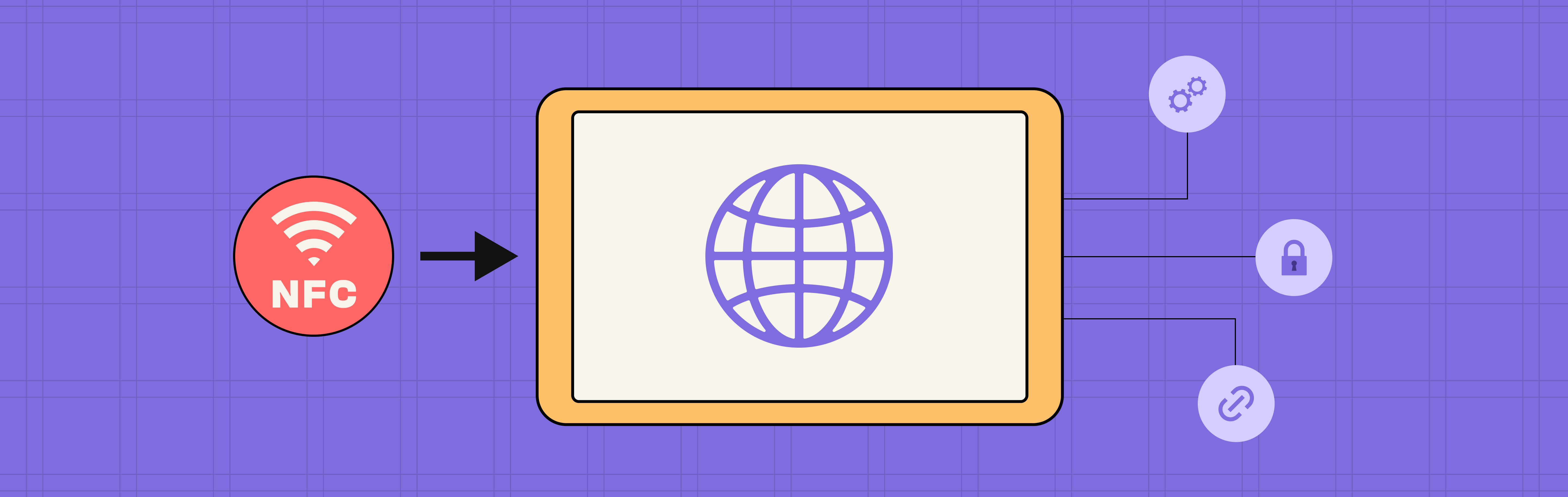
NFC tag integration means connecting physical NFC (Near Field Communication) tags—those small chips people tap with their phones—to specific pages on your website that are designed to convert that traffic. Instead of sending everyone to your homepage, you create dedicated landing pages that acknowledge where the tap happened and guide visitors toward a specific action. Integration includes setting up trackable URLs, mobile-optimized pages, and analytics to measure which physical locations or products drive the most engagement.
Why NFC Tag Integration Matters for Your Business
Setting up NFC tags properly isn't just a tech nice-to-have—it directly impacts your marketing ROI.
For customer experience, the difference between a good and bad NFC experience happens in 3 seconds. When someone taps your product packaging and instantly sees relevant information—ingredients, tutorials, reorder button—you've delivered on the promise. Send them to a slow, generic homepage? They're gone.
For tracking your marketing, NFC tags give you data that physical marketing never could before. You'll know exactly which store location, product, or event drove each website visit. That trade show booth you spent $5,000 on? You'll finally know if it actually generated leads or just collected business cards that went nowhere.
For small business owners and marketers, NFC integration is the difference between "we handed out 500 business cards" and "we generated 127 website visits and 43 booked consultations from our business cards." One is a vanity metric. The other is ROI.
Real example: A local coffee shop put NFC tags on their tables for mobile ordering. First attempt sent everyone to their homepage—3% ordered. We changed the NFC link to go directly to the menu with the table number pre-filled—31% ordered. Same tags, different setup, 10x results.
Types of NFC Tag Use Cases
Product Packaging Tags
What it does: Customer taps product, sees detailed info, tutorials, reviewsWebsite setup: Product-specific landing page with reorder buttonExample: Wine bottle with NFC tag opens tasting notes, food pairings, vineyard story
Business Card Tags
What it does: Recipient taps card, saves contact instantlyWebsite setup: Personal landing page with "Save Contact" and calendar bookingExample: Real estate agent card opens their available listings + book viewing button
Store Display Tags
What it does: Shopper taps display, gets product details or special offerWebsite setup: Product page or limited-time offer landing pageExample: Retail store display opens "20% off today only" page with countdown timer
Event Tags
What it does: Attendee taps badge or poster, registers interest or claims contentWebsite setup: Event landing page with simple signup formExample: Conference booth tag opens demo request page—captured 86 leads in 2 days
Restaurant Table Tags
What it does: Diner taps table tag, browses menu and ordersWebsite setup: Mobile menu with table number automatically filledExample: Fast-casual restaurant went from paper menus to table NFC tags—34% of taps became orders
How to Set Up NFC Tags for Your Website
Step 1: Plan Your Links
Before buying NFC tags, decide where each tag should send people.
Bad approach: All tags go to homepageGood approach: Each tag goes to a specific, relevant page
Use this URL structure:
yourwebsite.com/product-name?source=nfc&location=storefront

yourwebsite.com/contact?source=nfc&location=business-card

yourwebsite.com/menu?source=nfc&table=12
The ?source=nfc&location= part lets you track where taps are coming from in your website analytics.
Step 2: Create Mobile-Friendly Landing Pages
100% of NFC traffic comes from phones. Your pages must work perfectly on mobile.
What makes a good NFC landing page:
- Loads in under 2 seconds
- Big, tappable buttons (not tiny links)
- One clear action (don't make them hunt)
- Minimal text, maximum clarity
- No need to pinch, zoom, or scroll sideways
Test it: Open the page on your phone. If you need to zoom to read text or tap buttons, it's not ready.
Step 3: Buy and Program NFC Tags
What to buy:
- NFC stickers or cards (search "NTAG213 NFC tags" on Amazon)
- Cost: $0.30-$2 per tag depending on quantity
How to program them:
- Download a free NFC app (NFC Tools for iPhone or Android)
- Open the app and select "Write"
- Choose "URL" and enter your website link
- Hold your phone to the NFC tag
- Done—test it by tapping with another phone
Pro tip: Program one tag first and test it thoroughly before programming hundreds.
Step 4: Set Up Tracking
You want to know which NFC tags are working and which aren't.
If you use Google Analytics:The ?source=nfc&location= parameters in your URLs will automatically show up in your traffic reports. Check "Acquisition" → "Traffic acquisition" → look for "nfc" as a source.
What to track:
- Total NFC taps
- Which locations/products get the most taps
- How many taps convert to sales/signups/bookings
- Where people drop off
Example insight: Client discovered their product packaging NFC tags got 3x more taps than in-store display tags—so they stopped paying for displays and invested in better packaging.
Step 5: Make Pages Load Fast
NFC users expect instant results. Slow pages kill conversions.
Speed checklist:
- Compress all images (use free tools like TinyPNG)
- Remove unnecessary photos, videos, animations
- Test load speed on your phone using 4G (not wifi)
- Aim for under 2 seconds from tap to fully loaded
Real impact: One client's NFC page loaded in 5 seconds. We optimized it to 1.8 seconds. Conversion rate went from 11% to 26%. Speed matters.
Step 6: Test Everything Before Launch
Before distributing NFC tags:
- Test on both iPhone and Android
- Test in the actual physical location (lighting, distractions, network speed)
- Have someone unfamiliar with your business try it
- Check that analytics are tracking correctly
Common failure point: Tag works perfectly in your office on wifi, but fails in your store on spotty 4G. Always test in real conditions.
Key Takeaways
- One tag, one destination – each NFC tag should send people to a relevant, specific page, not your homepage
- Mobile-first is mandatory – 100% of NFC traffic is mobile; if your page doesn't work flawlessly on phones, it won't convert
- Speed is everything – aim for under 2 seconds load time; every extra second costs you 7% of potential conversions
- Track from day one – use URL parameters like
?source=nfc&location=to measure which tags perform best - Test before you scale – program and test one tag thoroughly before ordering and distributing hundreds
- Keep it simple – one clear action per page (buy, book, save contact, order); multiple options create confusion
Bottom line: NFC tags are powerful when set up correctly—specific destinations, mobile-optimized pages, and proper tracking. Most businesses waste them by treating NFC taps like regular website traffic. The ones who win build experiences designed specifically for that instant tap-to-action moment.